Screenshots

IPX in pictures

Every tool in light and dark. Click to enlarge. All addresses are example and documentation addresses (example.com, 192.0.2.x).

Show:

Interface

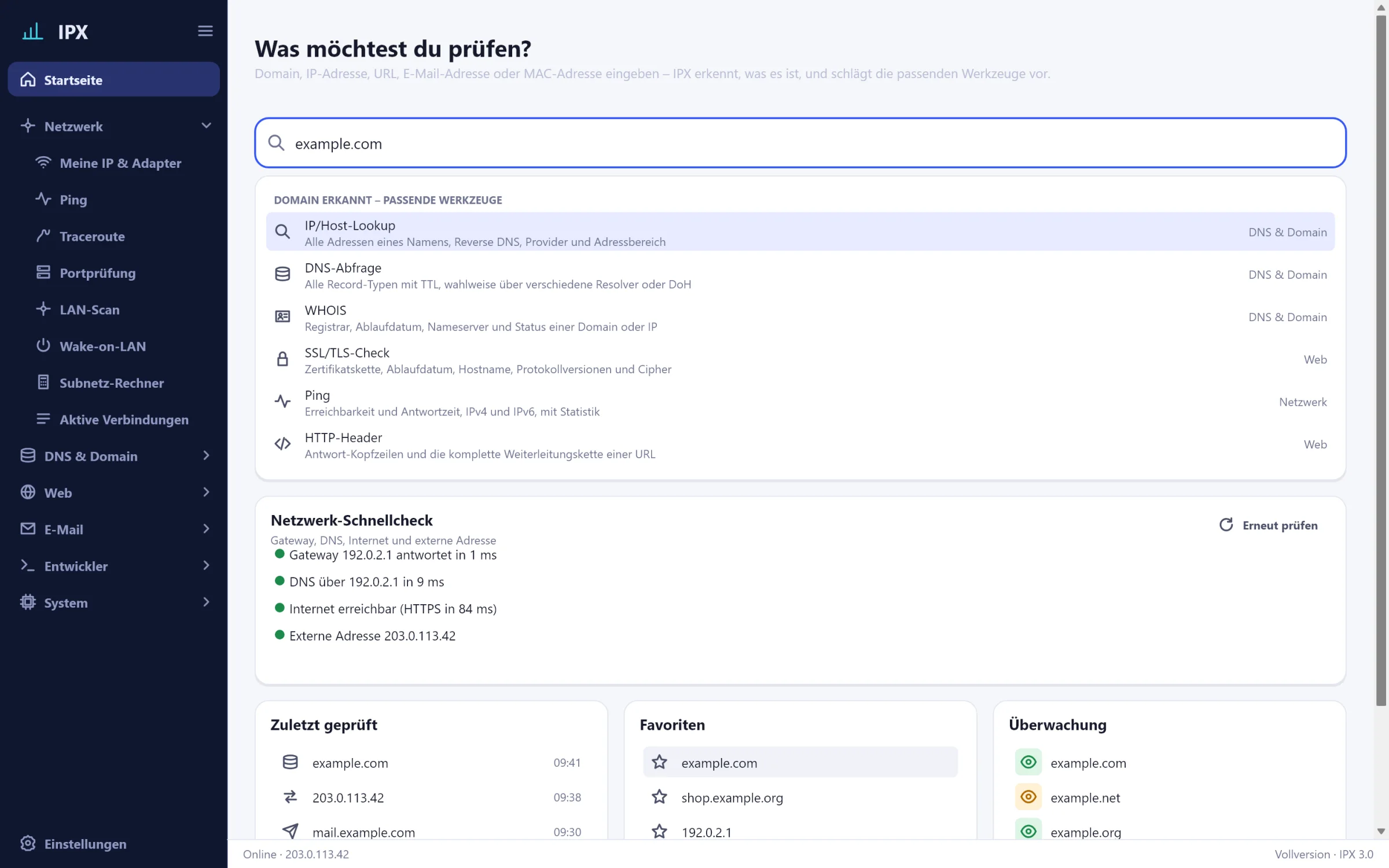
IPX: Home – Central input field with suggestions, quick check, history, favourites and watchlistIPX: Home – Central input field with suggestions, quick check, history, favourites and watchlist
HomeCentral input field with suggestions, quick check, history, favourites and watchlist
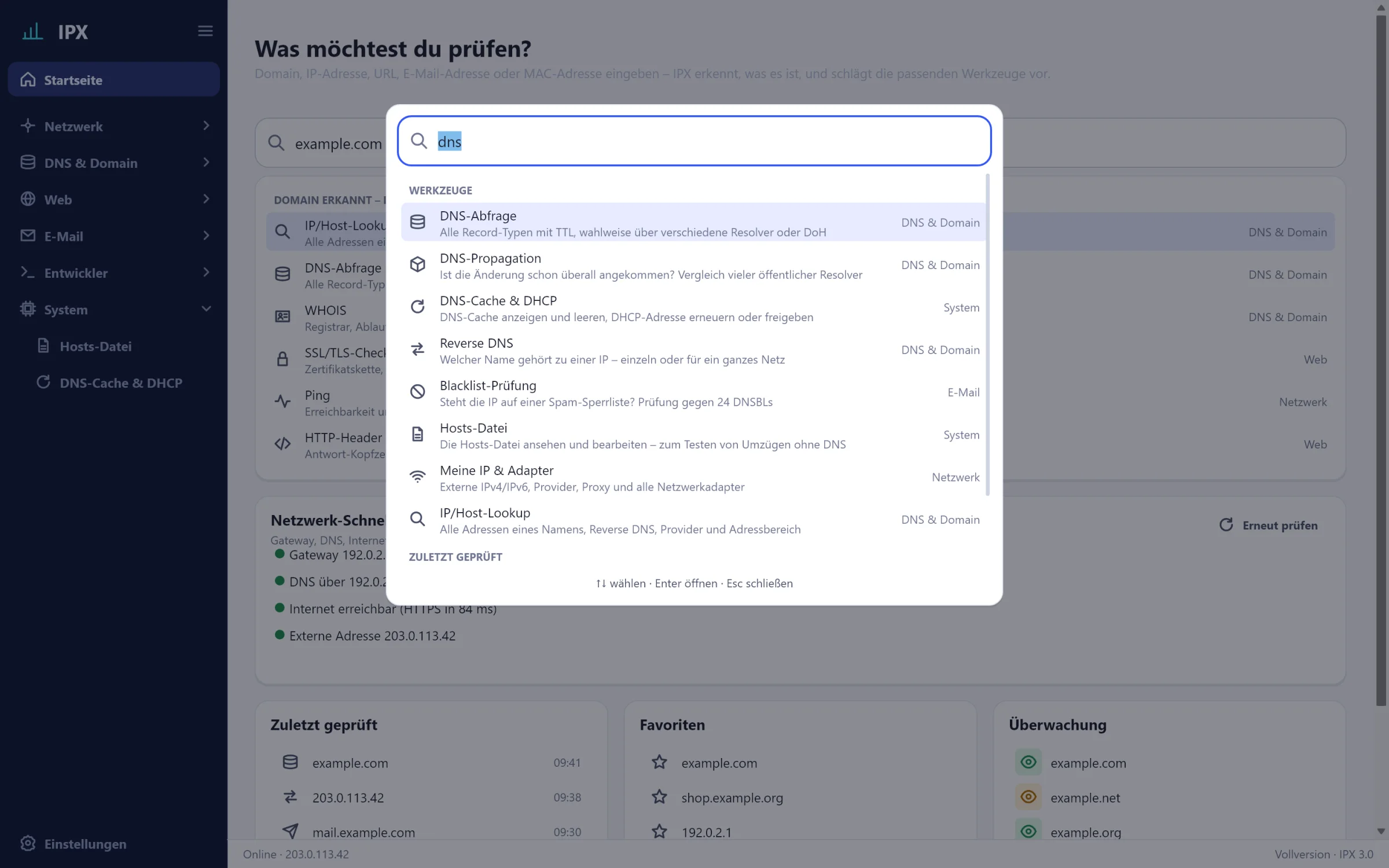
IPX: Command palette – Ctrl+K: every tool, every setting and the history in one searchIPX: Command palette – Ctrl+K: every tool, every setting and the history in one search
Command paletteCtrl+K: every tool, every setting and the history in one search
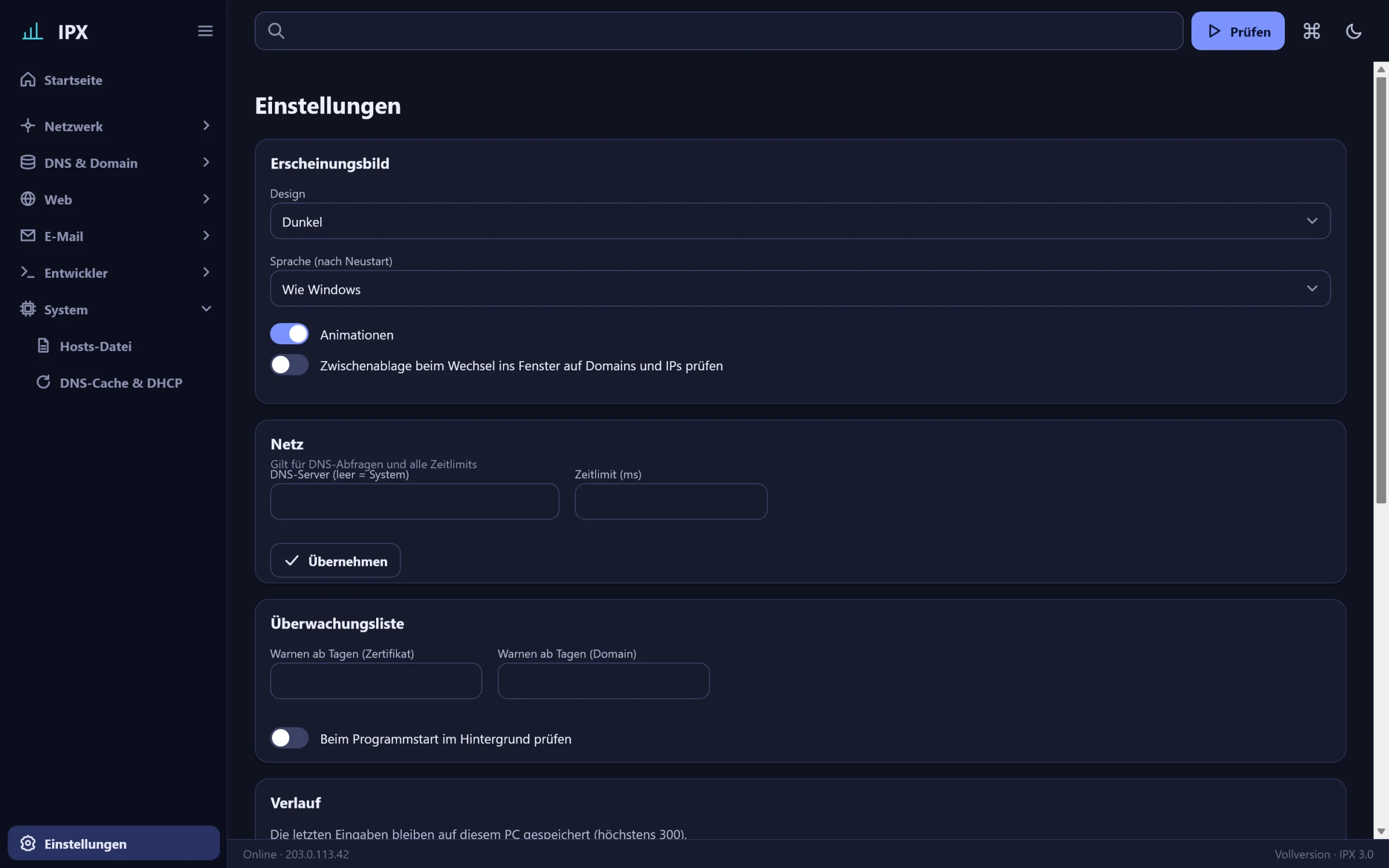
IPX: Settings – Theme, language, resolver, time limits and licenceIPX: Settings – Theme, language, resolver, time limits and licence
SettingsTheme, language, resolver, time limits and licence

Network

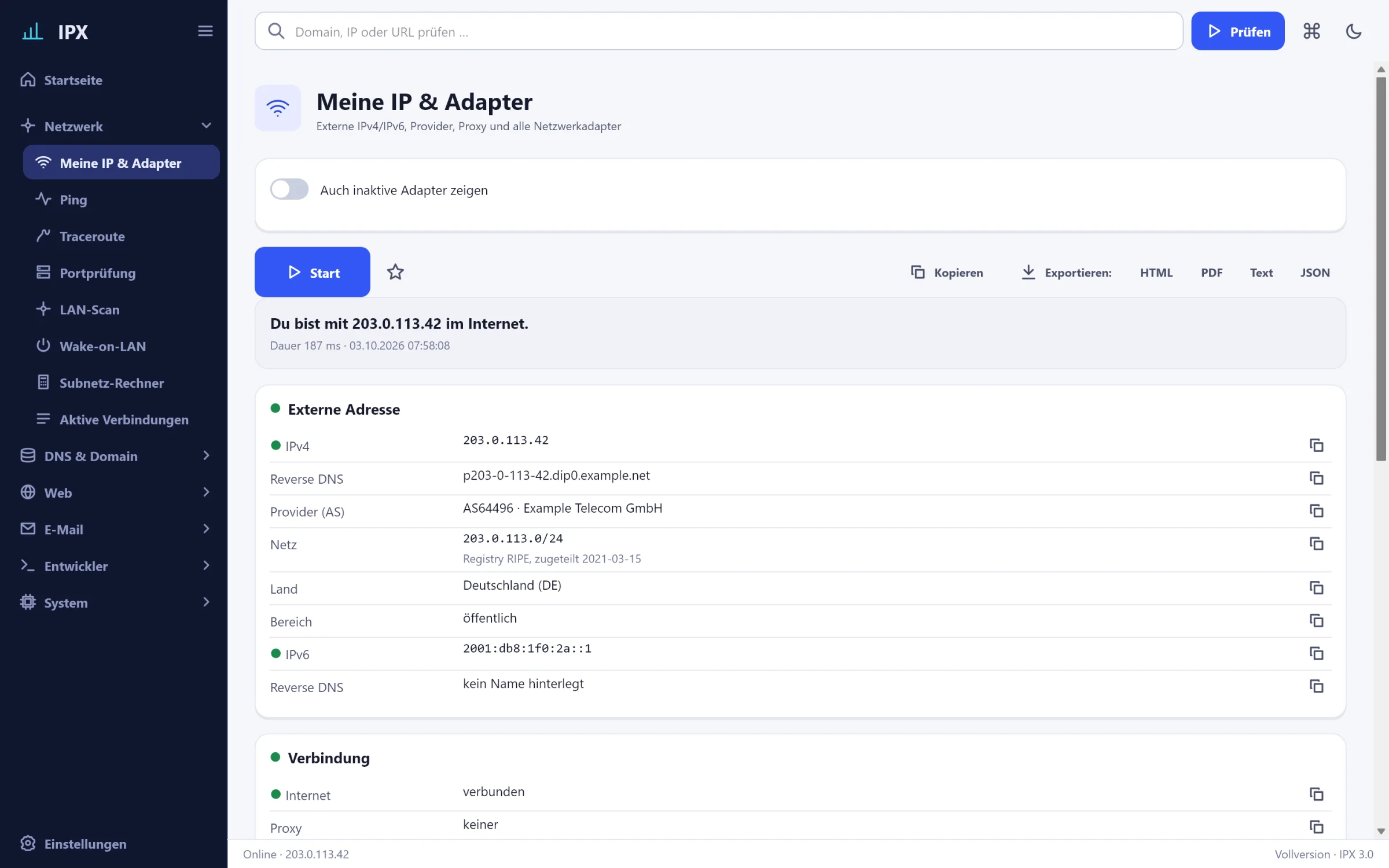
IPX: My IP & adapters – External IPv4/IPv6 with provider, reverse DNS and country, plus all network adapters with gateway, DNS, DHCP and MAC vendor.IPX: My IP & adapters – External IPv4/IPv6 with provider, reverse DNS and country, plus all network adapters with gateway, DNS, DHCP and MAC vendor.
My IP & adaptersDescription
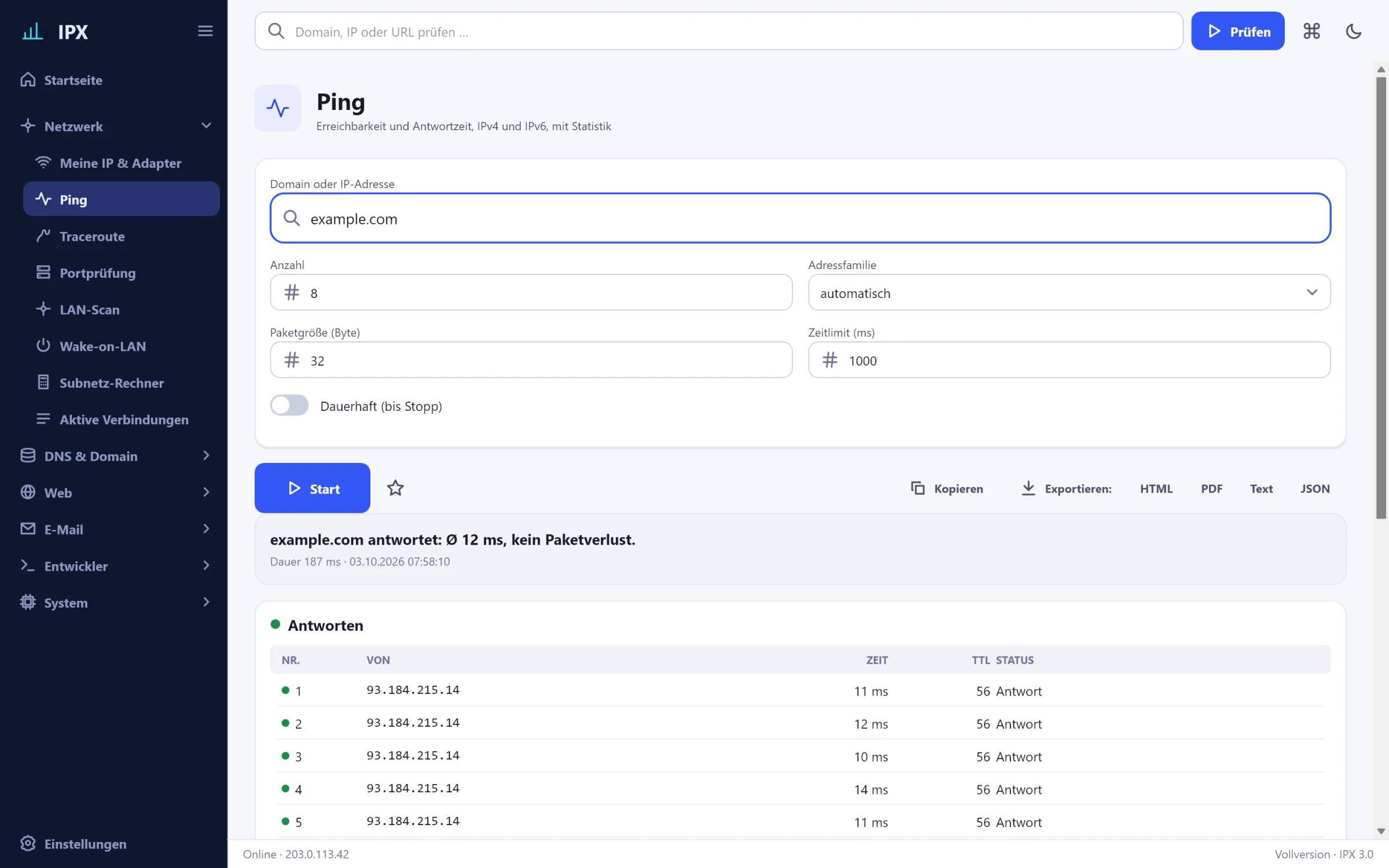
IPX: Ping – Reachability and response time for IPv4 and IPv6, single or continuous, with statistics and history graph.IPX: Ping – Reachability and response time for IPv4 and IPv6, single or continuous, with statistics and history graph.
PingDescription
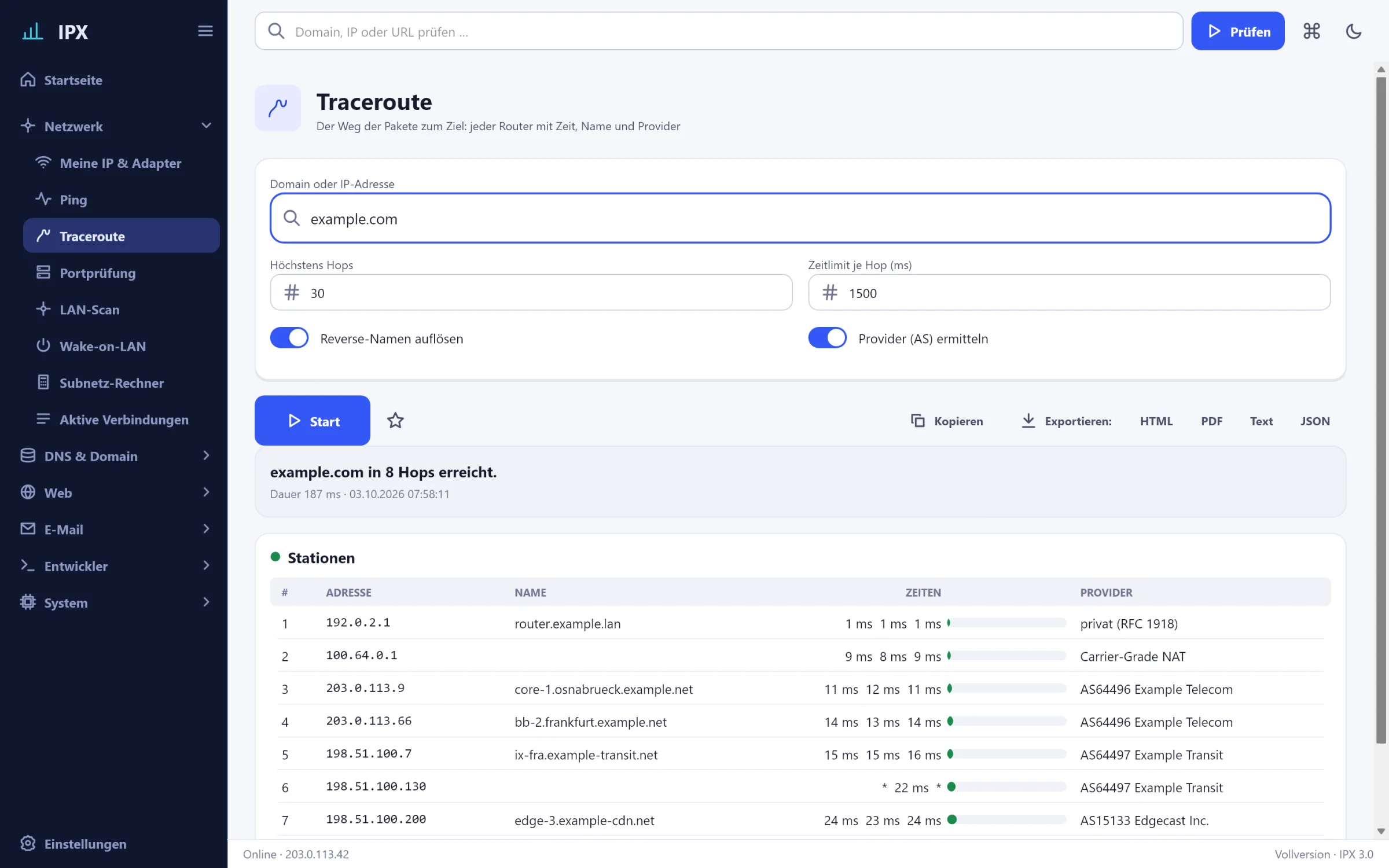
IPX: Traceroute – The path packets take to the target: every router with times, reverse name and provider (AS).IPX: Traceroute – The path packets take to the target: every router with times, reverse name and provider (AS).
TracerouteDescription
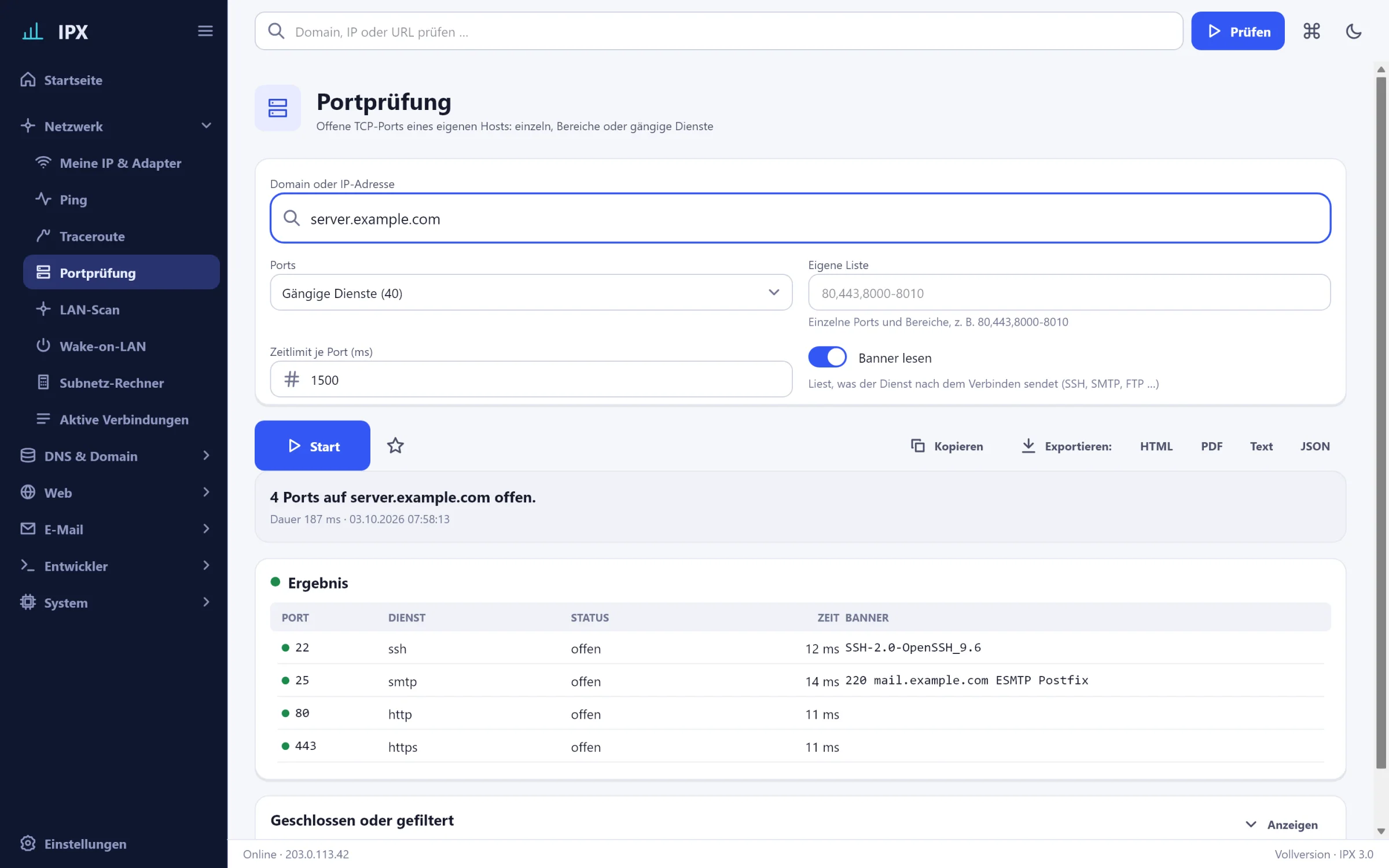
IPX: Port check – Open TCP ports of your own hosts: single, ranges or common services, in parallel and with banner.IPX: Port check – Open TCP ports of your own hosts: single, ranges or common services, in parallel and with banner.
Port checkDescription
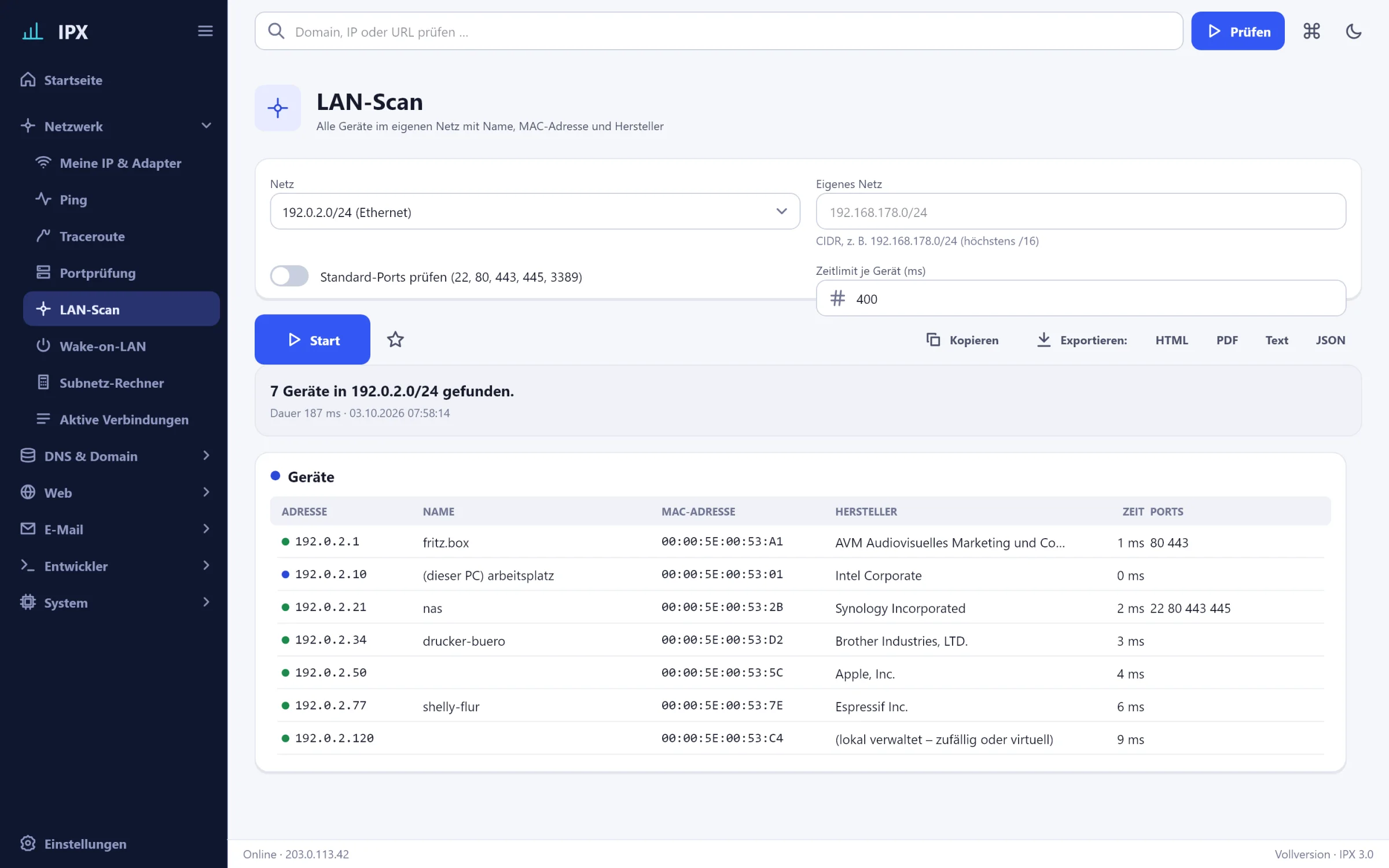
IPX: LAN scan – All devices on your own network with name, MAC address and vendor from the IEEE list.IPX: LAN scan – All devices on your own network with name, MAC address and vendor from the IEEE list.
LAN scanDescription
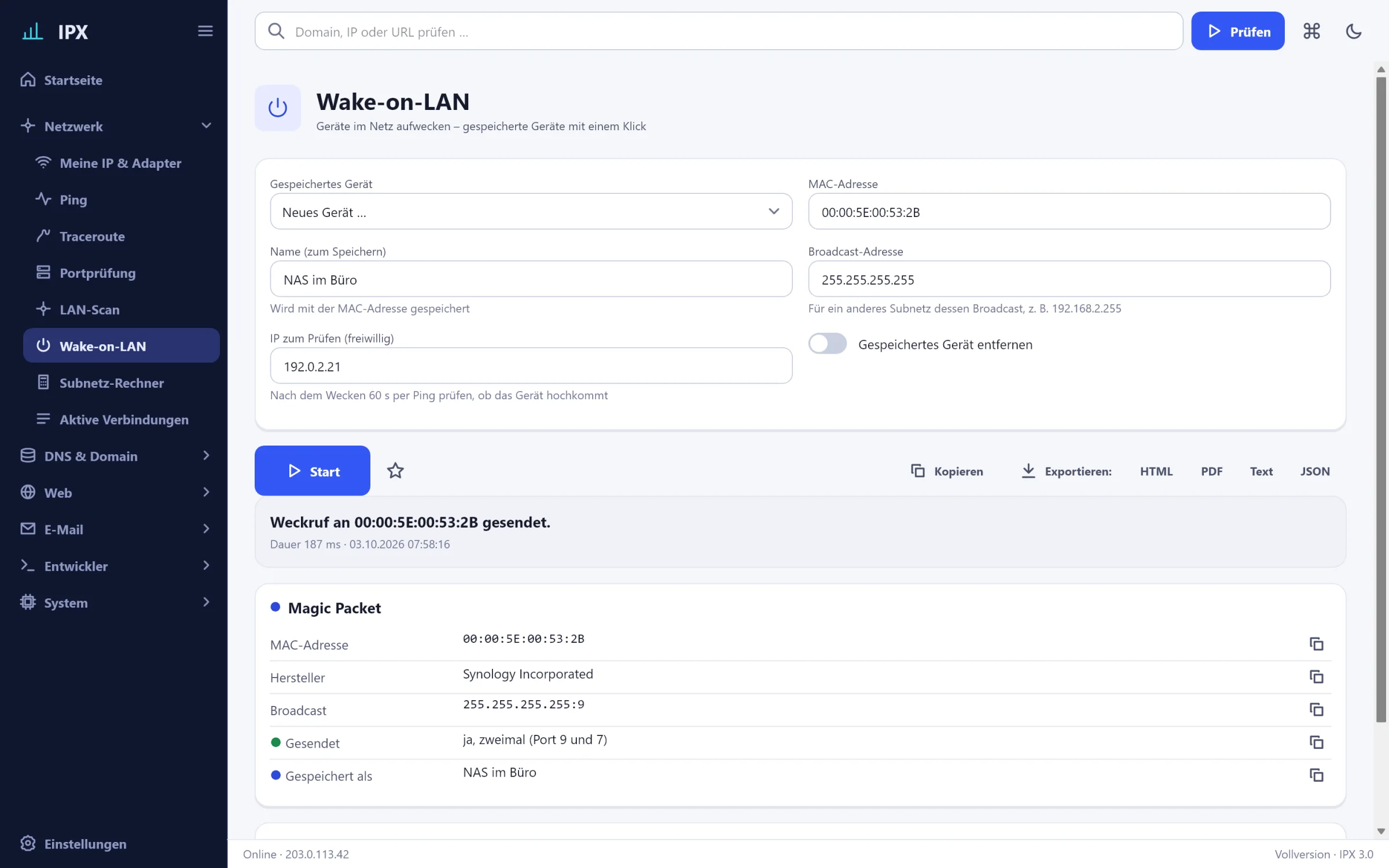
IPX: Wake-on-LAN – Wake devices, save devices, verify success by ping.IPX: Wake-on-LAN – Wake devices, save devices, verify success by ping.
Wake-on-LANDescription
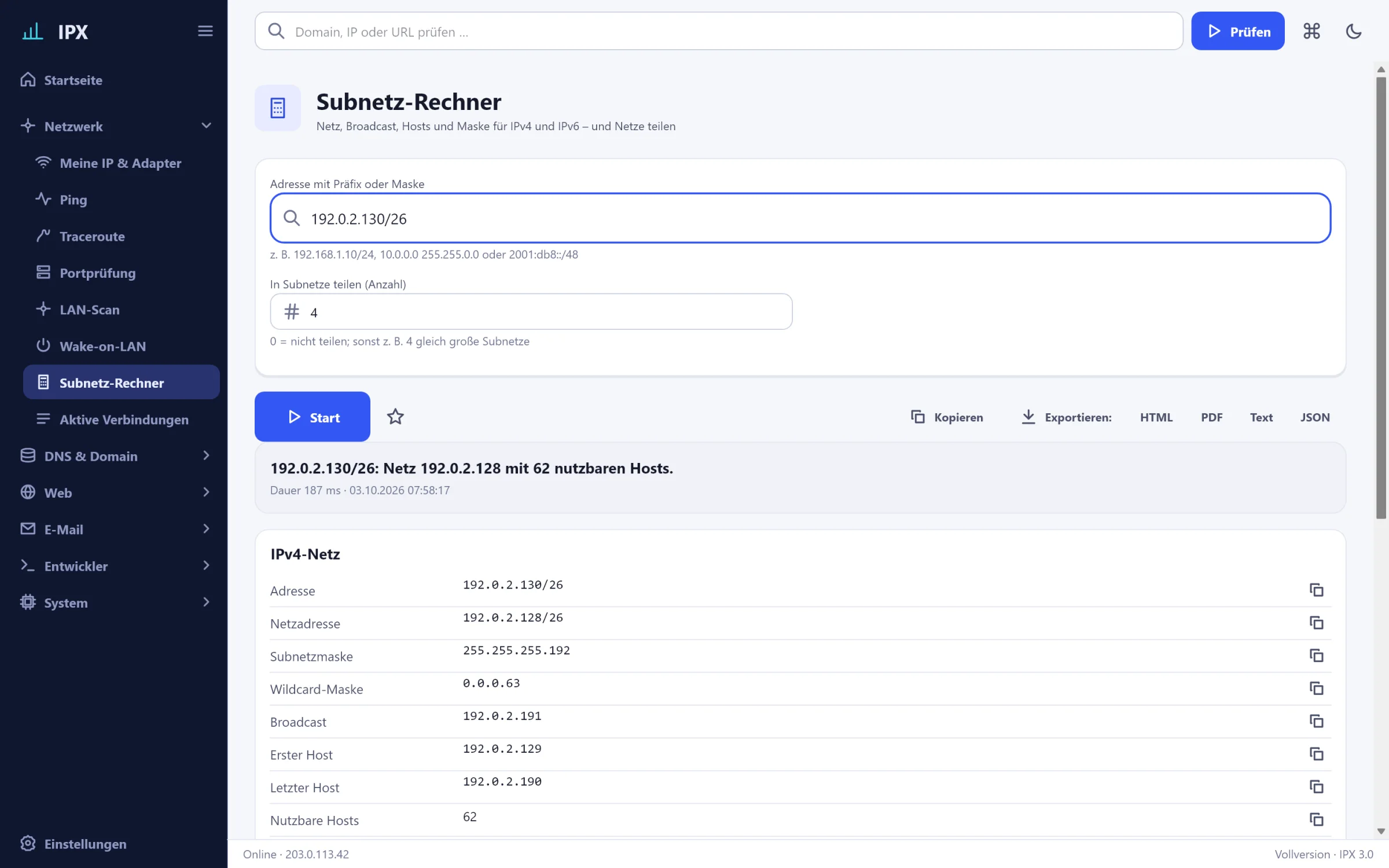
IPX: Subnet calculator – Network, broadcast, hosts and mask for IPv4 and IPv6, split networks into subnets.IPX: Subnet calculator – Network, broadcast, hosts and mask for IPv4 and IPv6, split networks into subnets.
Subnet calculatorDescription
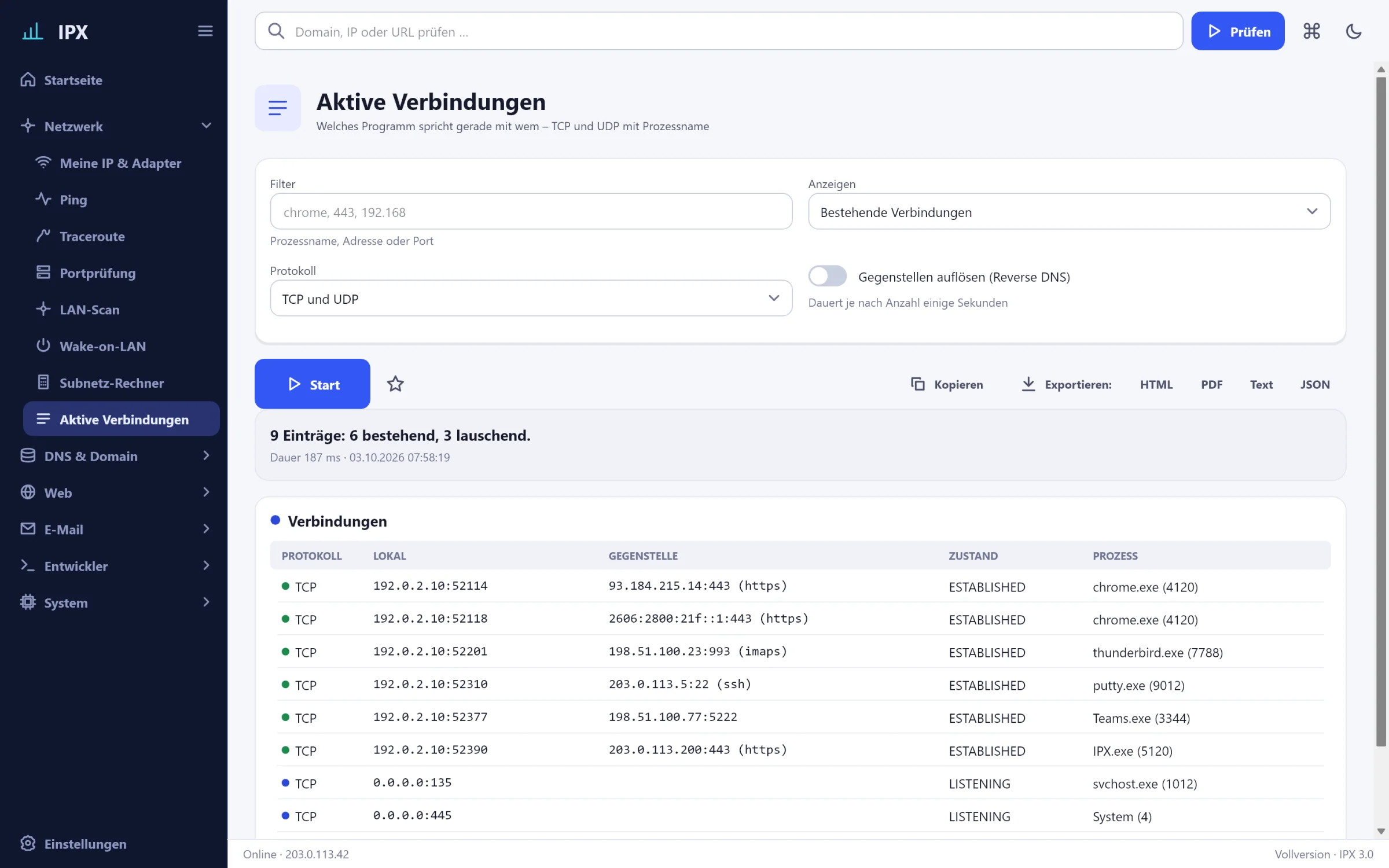
IPX: Active connections – Which program is talking to whom: TCP and UDP with process name and state.IPX: Active connections – Which program is talking to whom: TCP and UDP with process name and state.
Active connectionsDescription

DNS & Domain

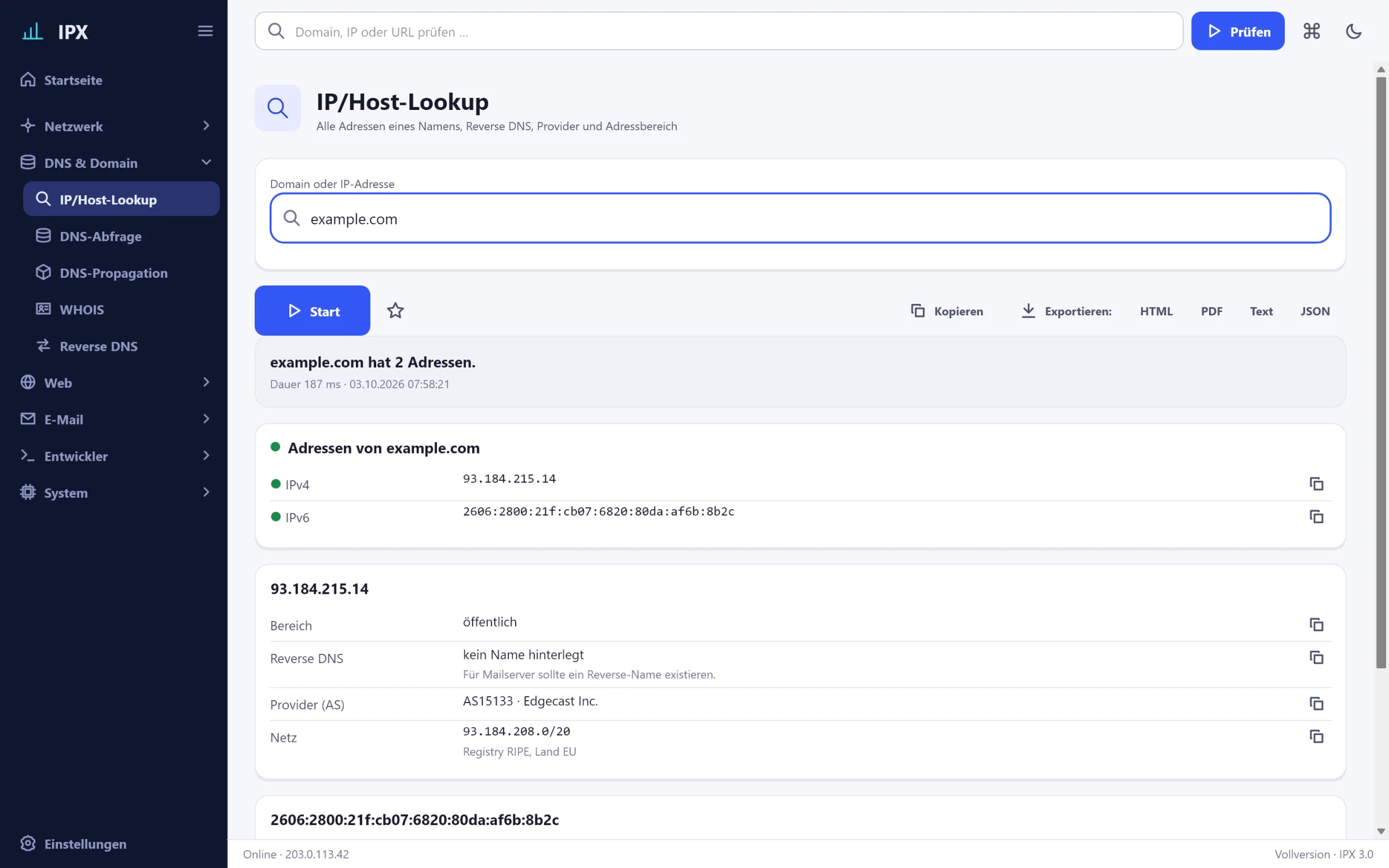
IPX: IP/host lookup – All addresses of a name, reverse DNS, provider and address range at a glance.IPX: IP/host lookup – All addresses of a name, reverse DNS, provider and address range at a glance.
IP/host lookupDescription
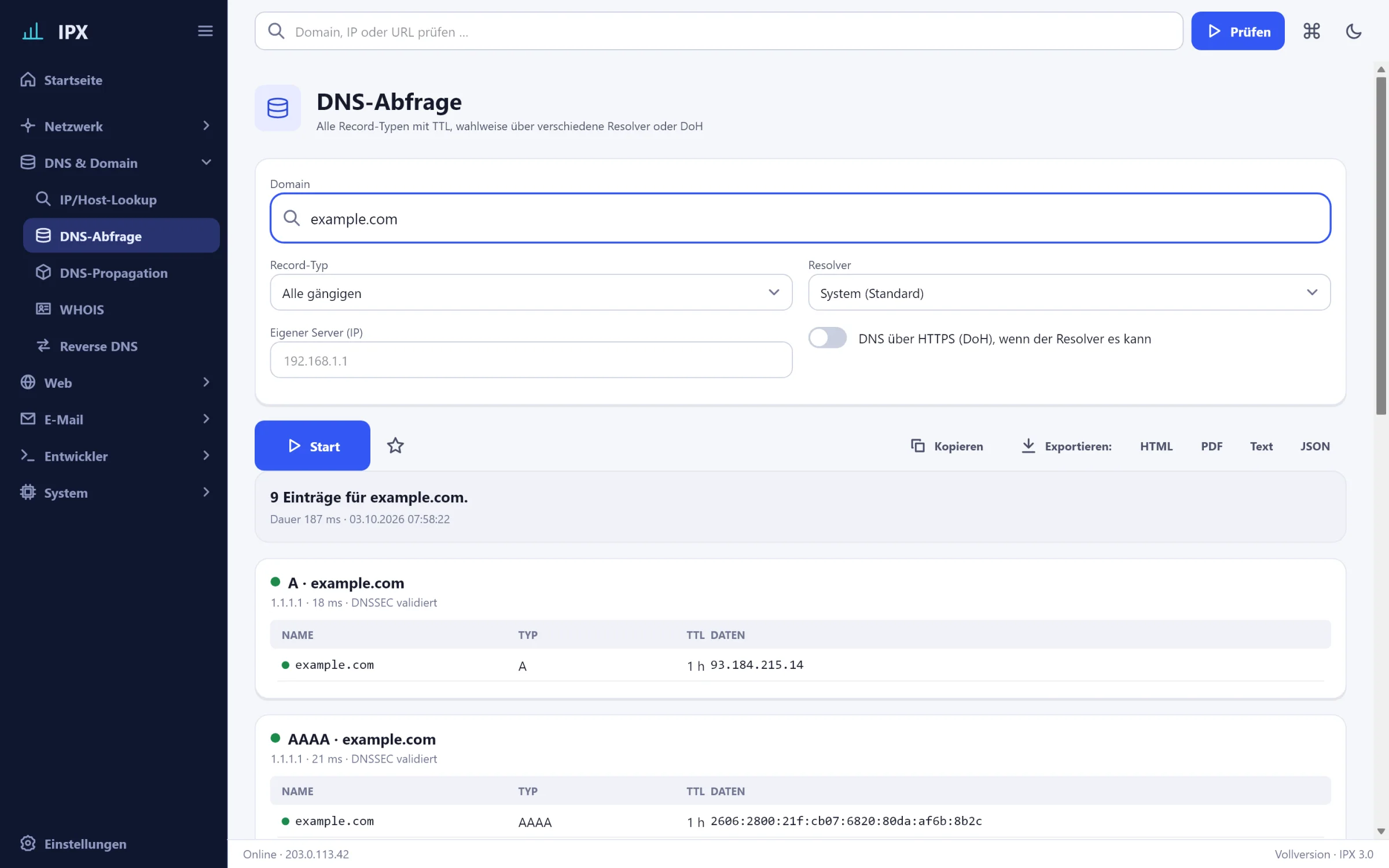
IPX: DNS records – All record types (A, AAAA, MX, NS, TXT, CNAME, SOA, SRV, CAA, …) with TTL, selectable resolver, DoH.IPX: DNS records – All record types (A, AAAA, MX, NS, TXT, CNAME, SOA, SRV, CAA, …) with TTL, selectable resolver, DoH.
DNS recordsDescription
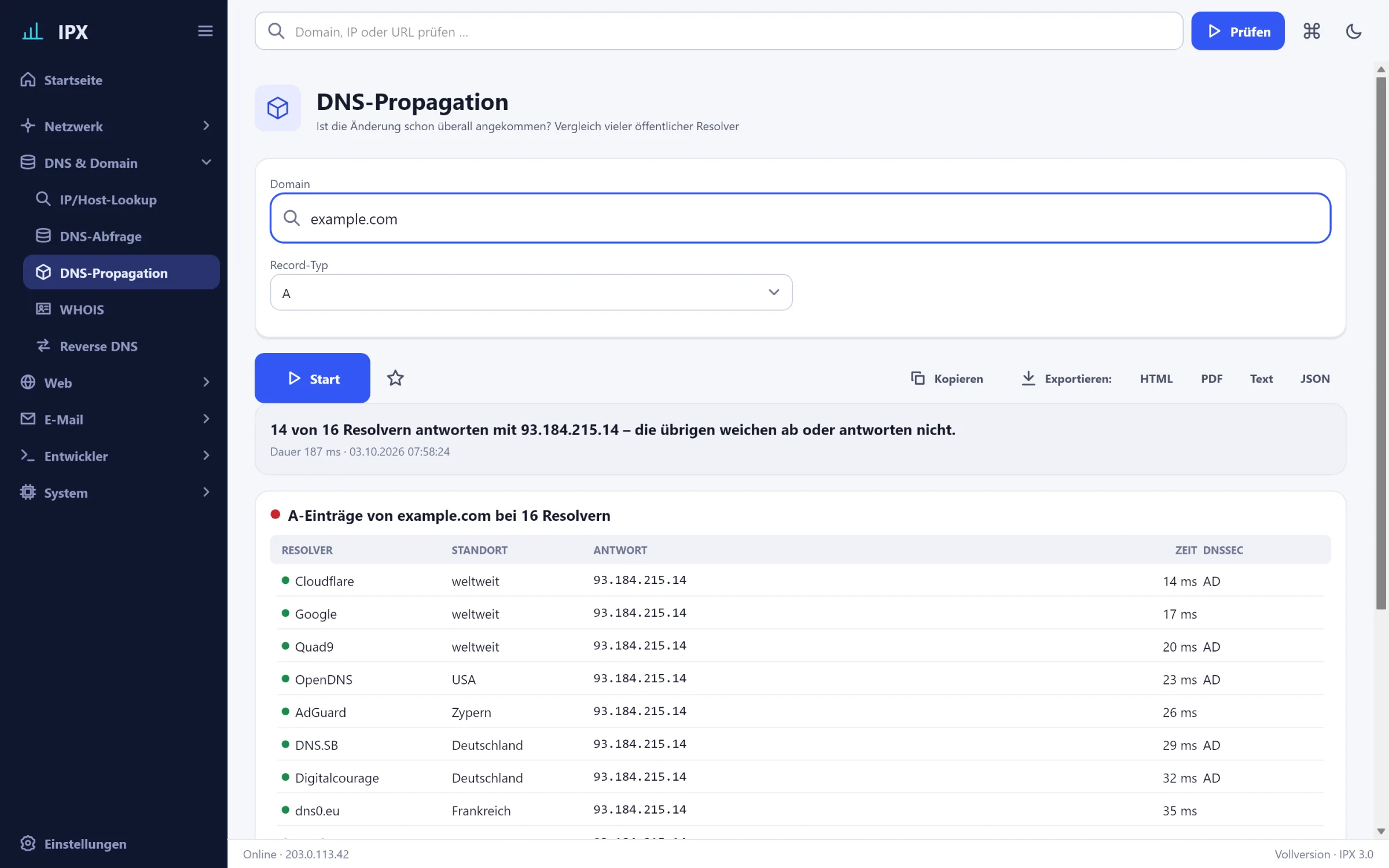
IPX: DNS propagation – Has the change arrived everywhere? Comparison of 16 public resolvers worldwide.IPX: DNS propagation – Has the change arrived everywhere? Comparison of 16 public resolvers worldwide.
DNS propagationDescription
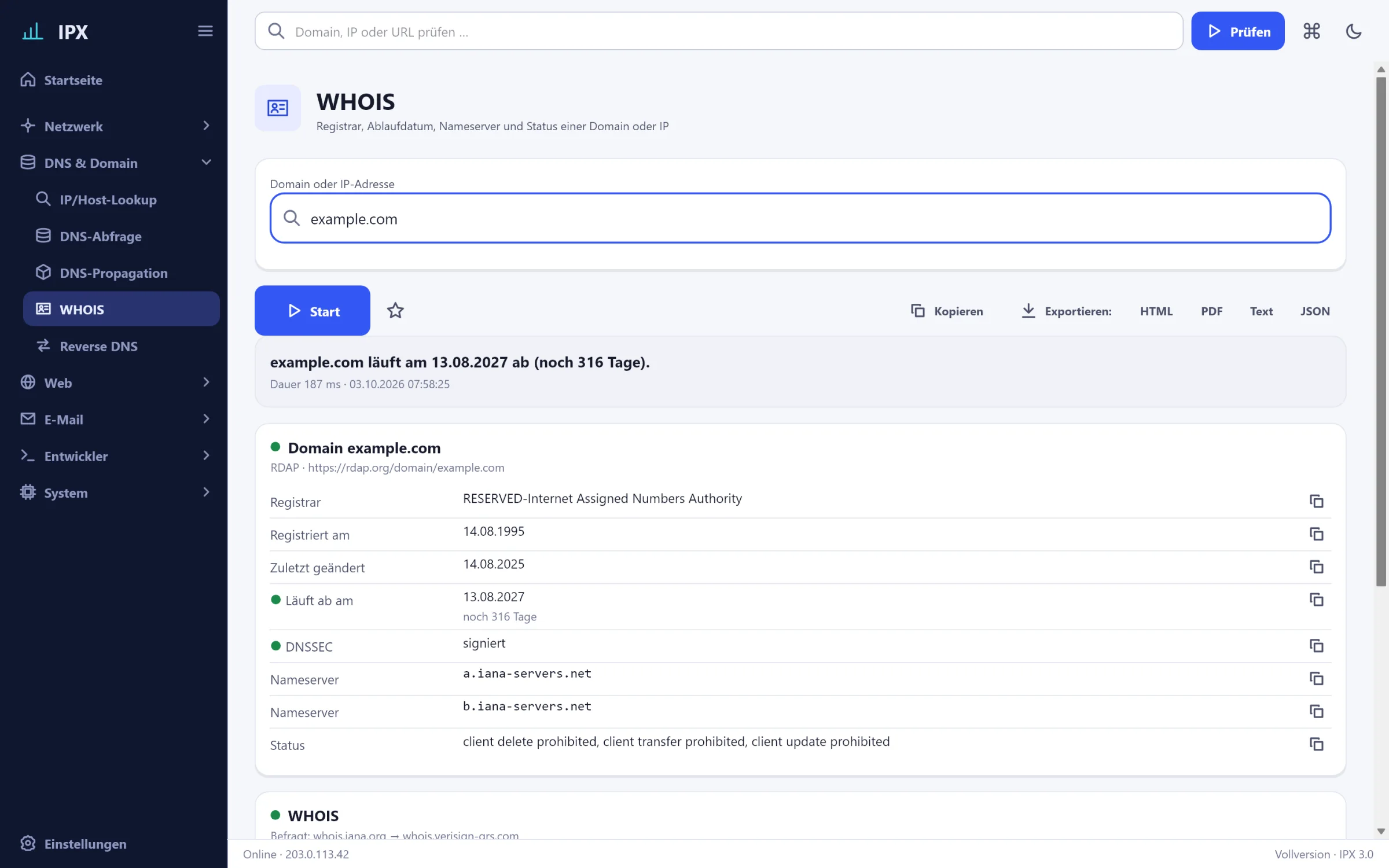
IPX: WHOIS – Registrar, expiry date, name servers and status – RDAP structured, WHOIS as text.IPX: WHOIS – Registrar, expiry date, name servers and status – RDAP structured, WHOIS as text.
WHOISDescription
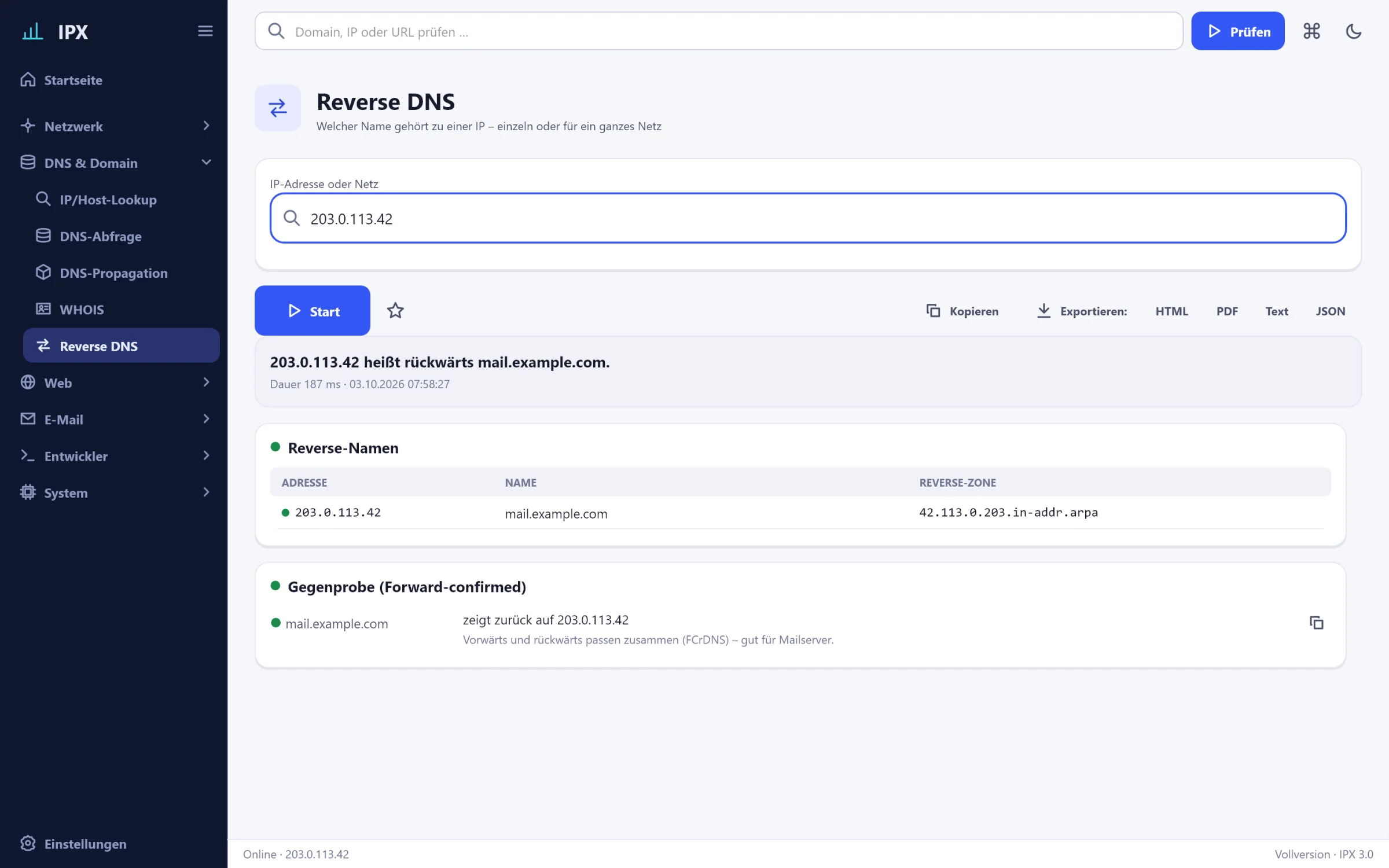
IPX: Reverse DNS – Which name belongs to an IP – single or for a whole network, with cross-check.IPX: Reverse DNS – Which name belongs to an IP – single or for a whole network, with cross-check.
Reverse DNSDescription

Web

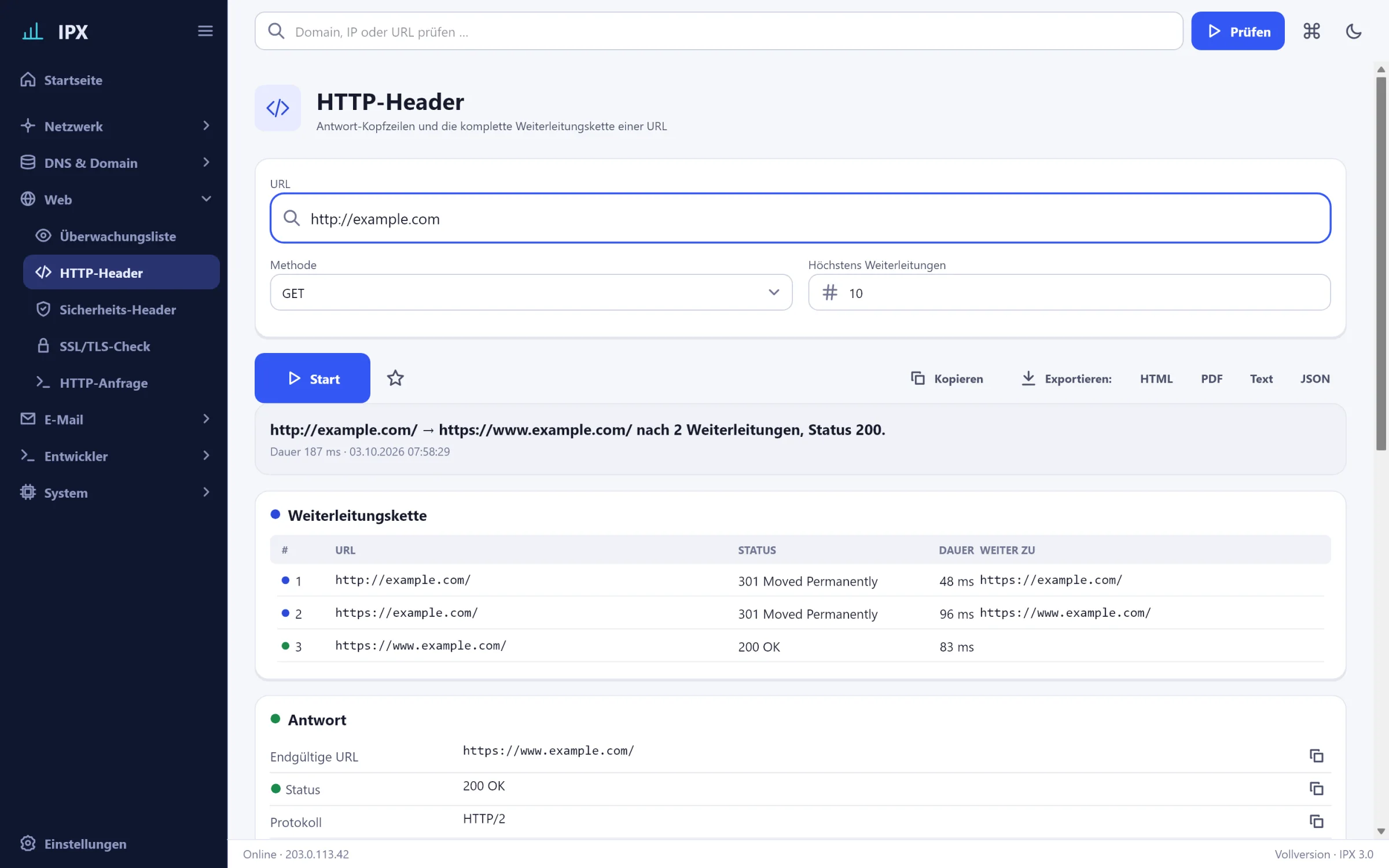
IPX: HTTP headers – Response headers and the complete redirect chain of a URL with status and duration.IPX: HTTP headers – Response headers and the complete redirect chain of a URL with status and duration.
HTTP headersDescription
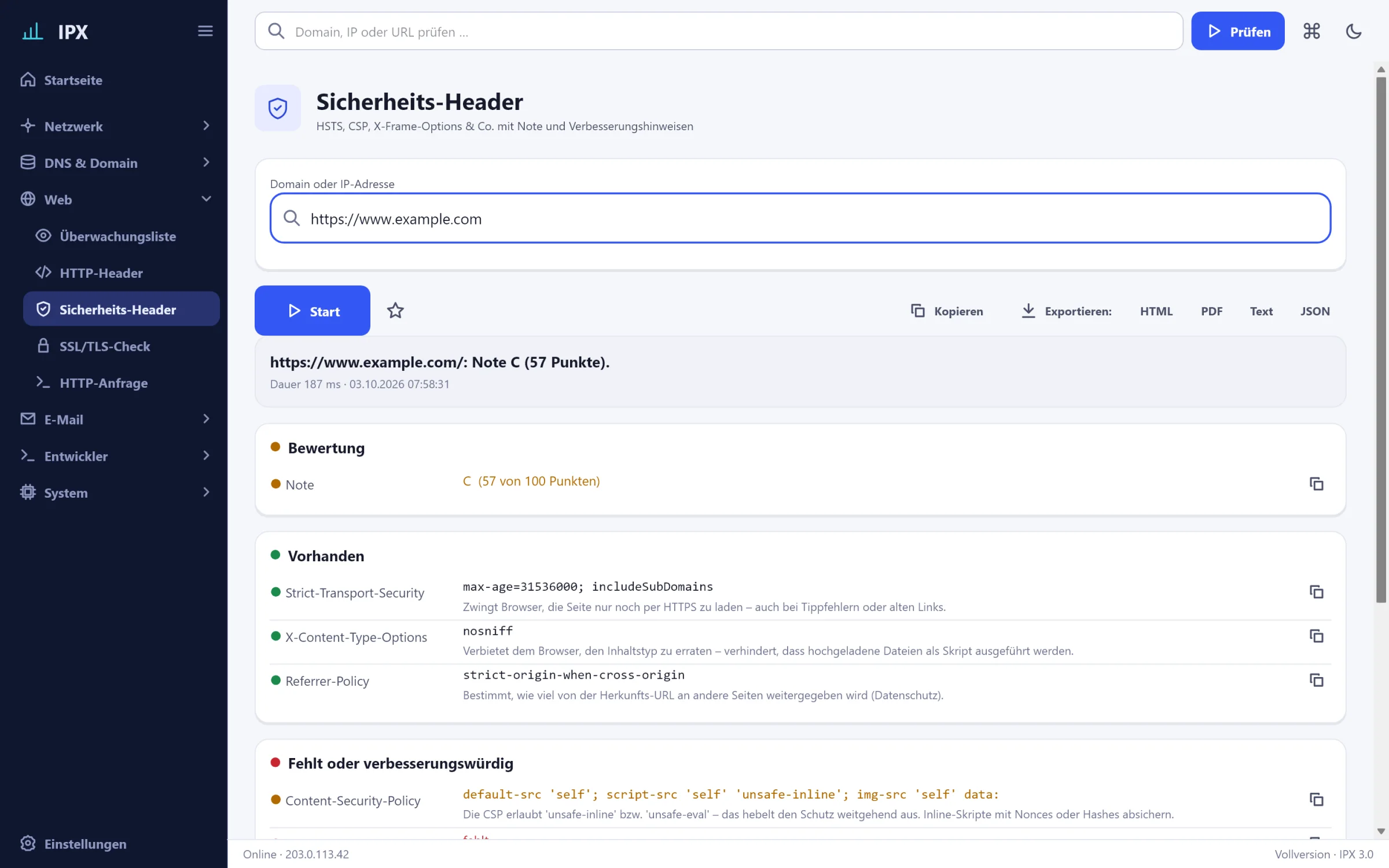
IPX: Security headers – HSTS, CSP, X-Frame-Options and friends with grade A+ to F and concrete advice.IPX: Security headers – HSTS, CSP, X-Frame-Options and friends with grade A+ to F and concrete advice.
Security headersDescription
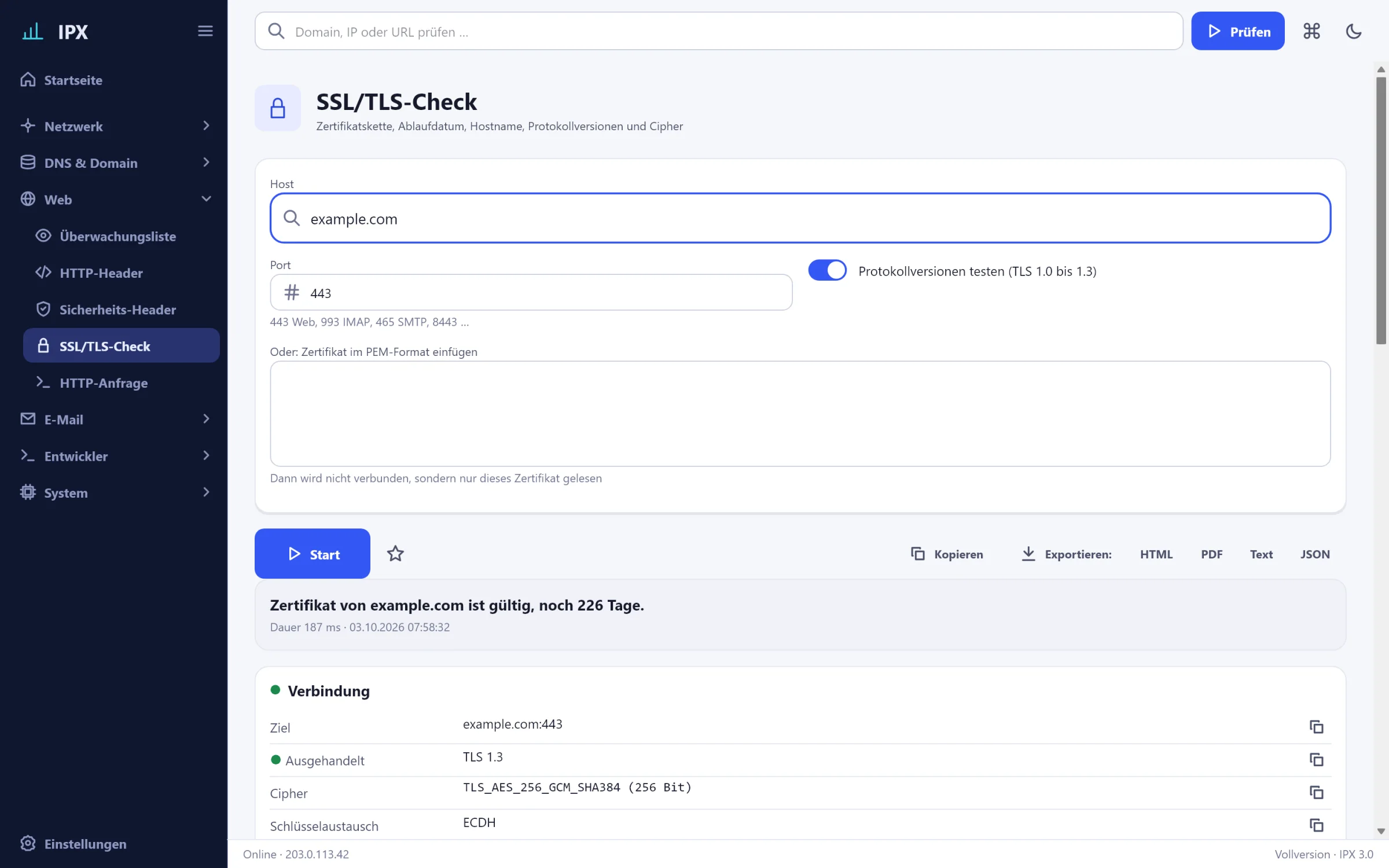
IPX: SSL/TLS check – Certificate chain, expiry date, host name, protocol versions and cipher; PEM decoder.IPX: SSL/TLS check – Certificate chain, expiry date, host name, protocol versions and cipher; PEM decoder.
SSL/TLS checkDescription
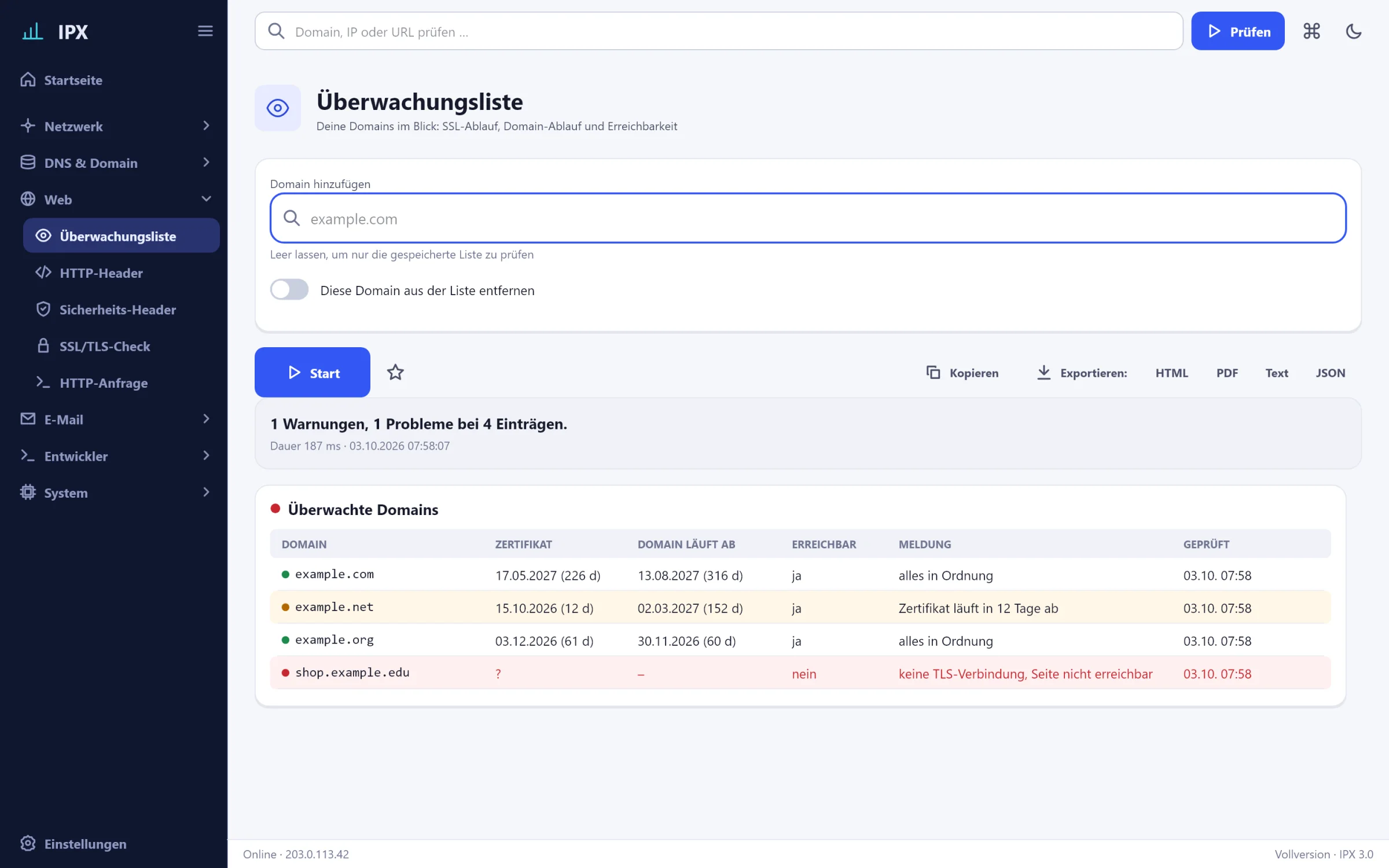
IPX: Watchlist – Keep an eye on your domains: SSL expiry, domain expiry and availability, warning on the home page.IPX: Watchlist – Keep an eye on your domains: SSL expiry, domain expiry and availability, warning on the home page.
WatchlistDescription
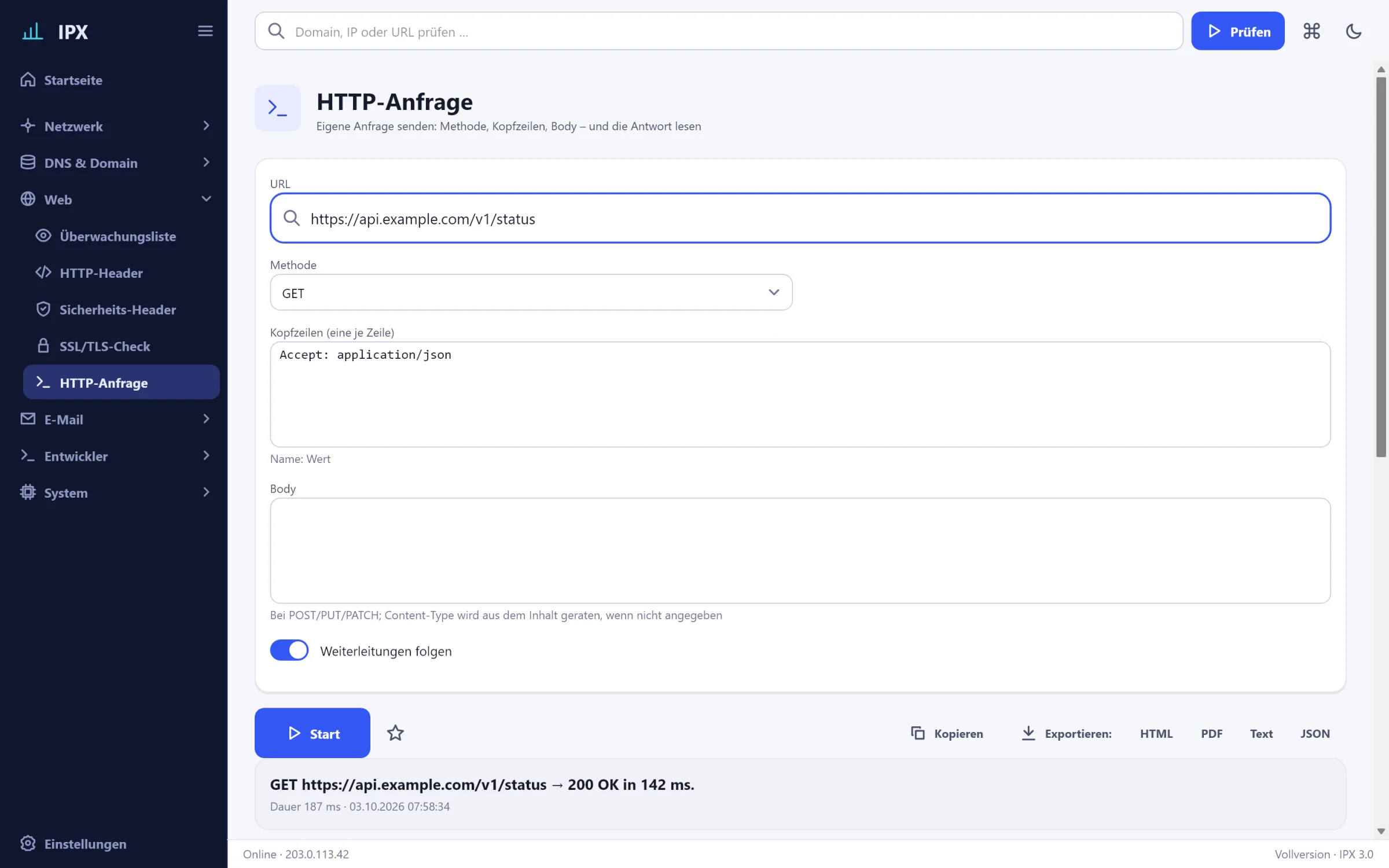
IPX: HTTP request – Send your own request: method, headers, body – and read the response (JSON formatted).IPX: HTTP request – Send your own request: method, headers, body – and read the response (JSON formatted).
HTTP requestDescription

E-mail

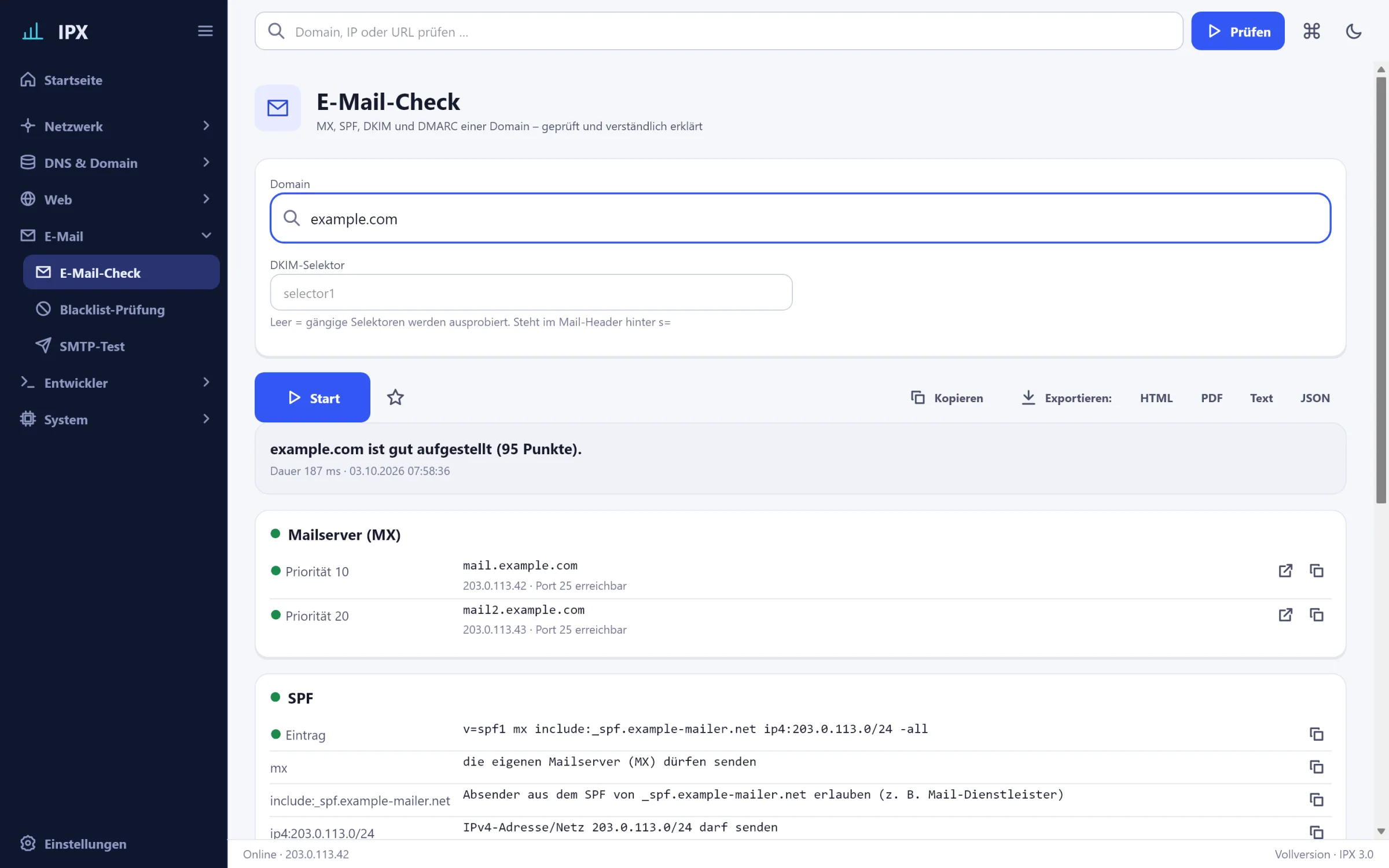
IPX: E-mail check – MX, SPF, DKIM and DMARC of a domain – checked, graded and explained in plain words.IPX: E-mail check – MX, SPF, DKIM and DMARC of a domain – checked, graded and explained in plain words.
E-mail checkDescription
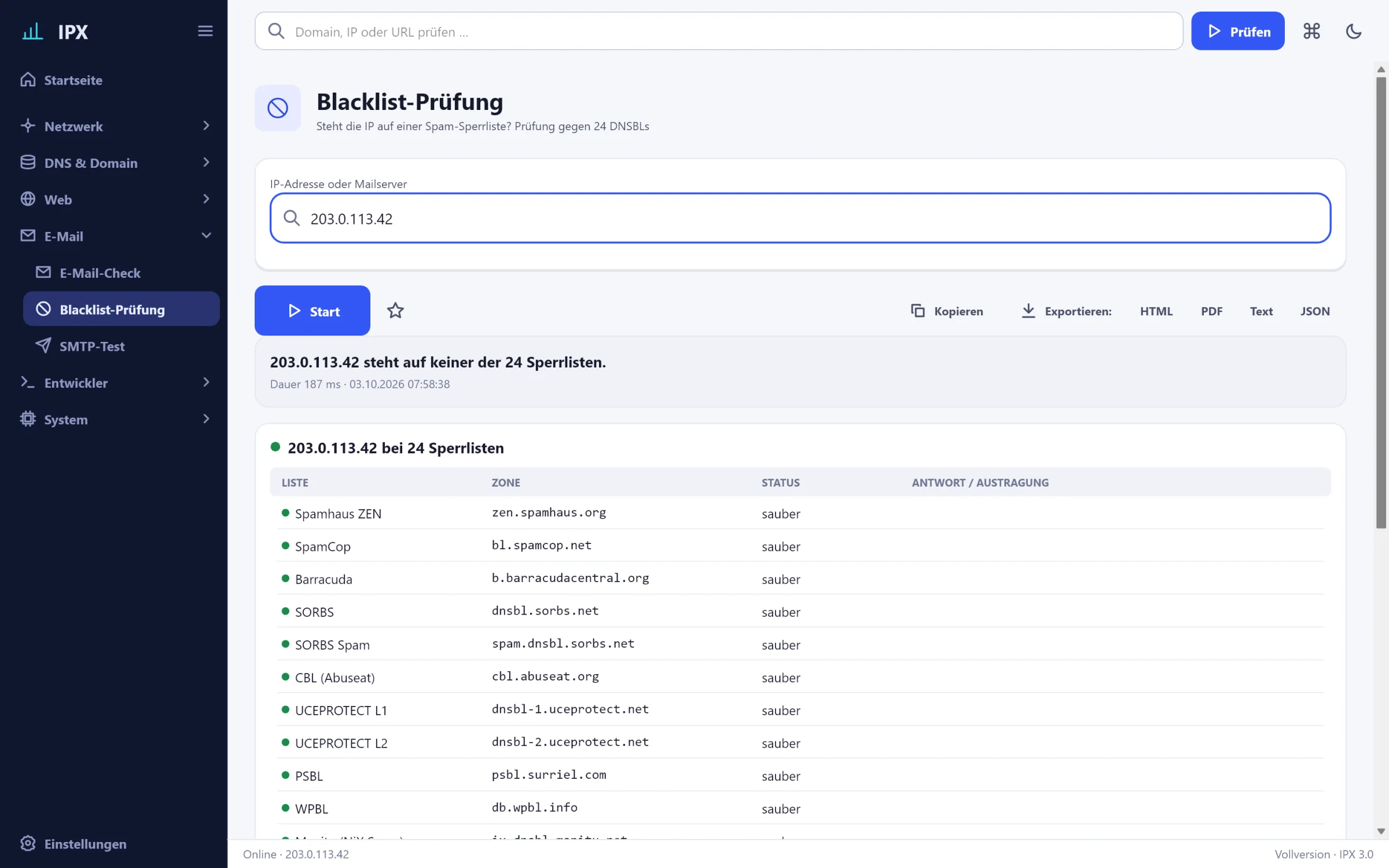
IPX: Blacklist check – Is the IP on a spam blocklist? Check against 24 DNSBLs with delisting link.IPX: Blacklist check – Is the IP on a spam blocklist? Check against 24 DNSBLs with delisting link.
Blacklist checkDescription
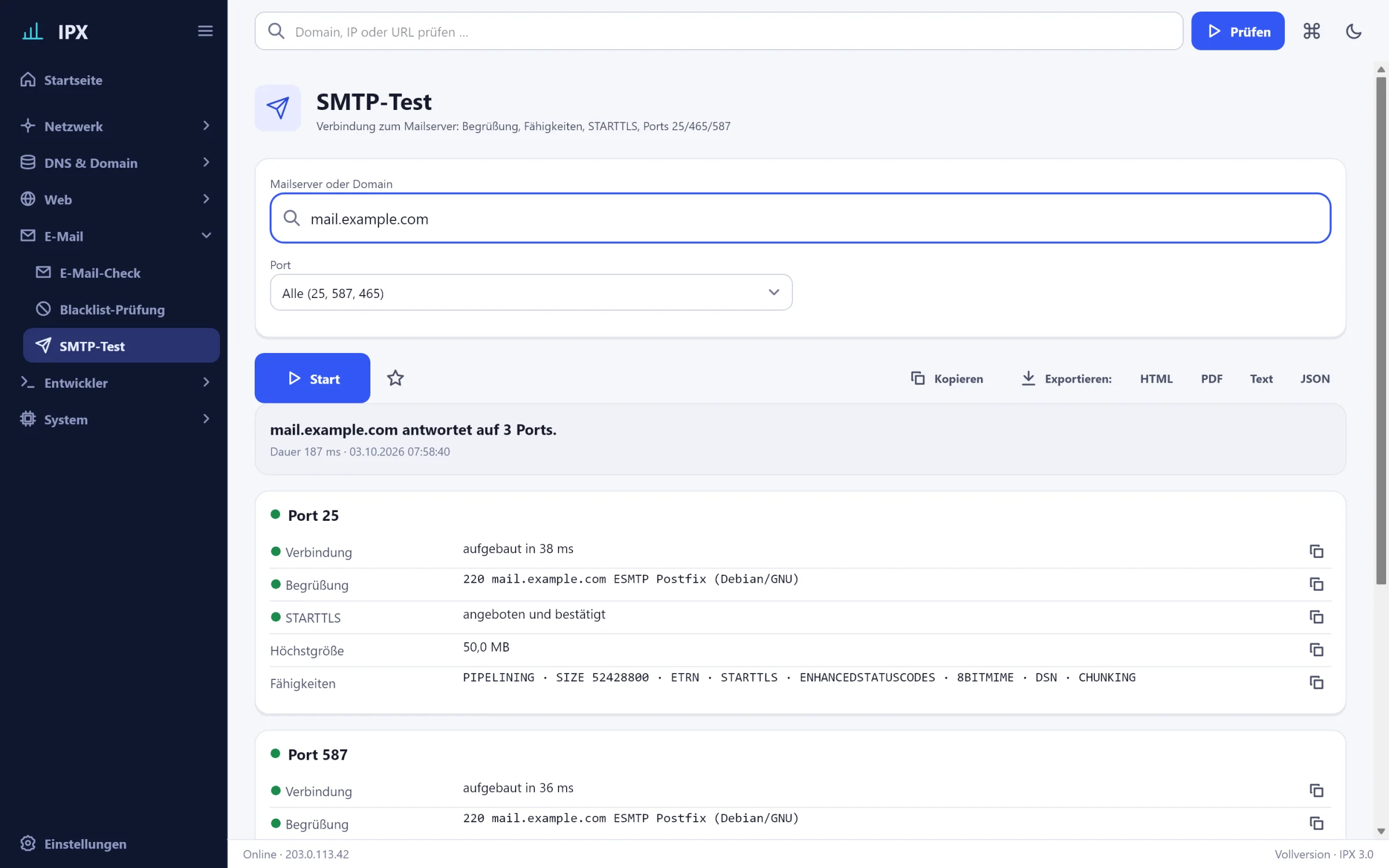
IPX: SMTP test – Connection to the mail server: greeting, capabilities, STARTTLS, ports 25/465/587.IPX: SMTP test – Connection to the mail server: greeting, capabilities, STARTTLS, ports 25/465/587.
SMTP testDescription

Developer

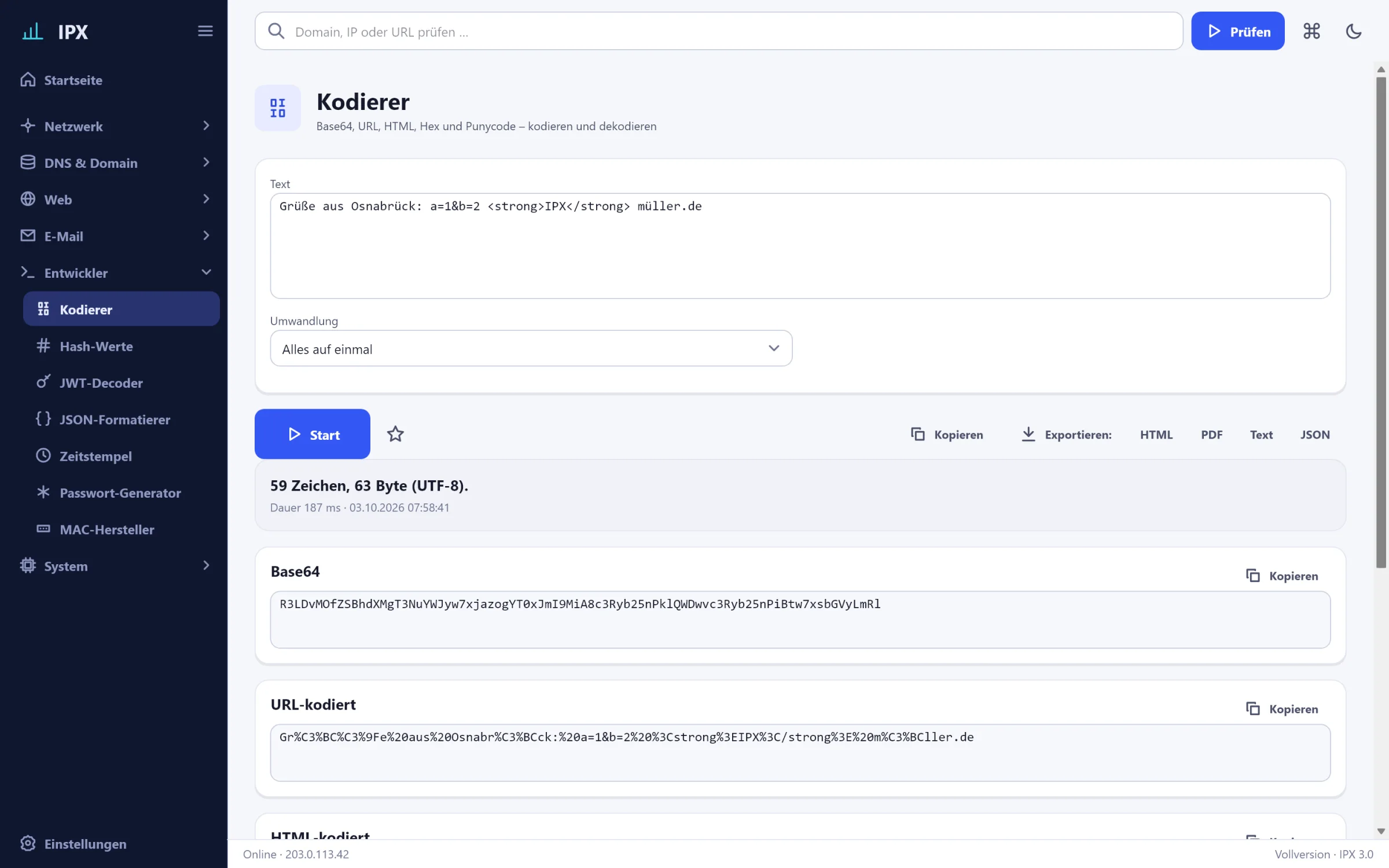
IPX: Encoder – Base64, URL, HTML, hex and Punycode – encode and decode, all local.IPX: Encoder – Base64, URL, HTML, hex and Punycode – encode and decode, all local.
EncoderDescription
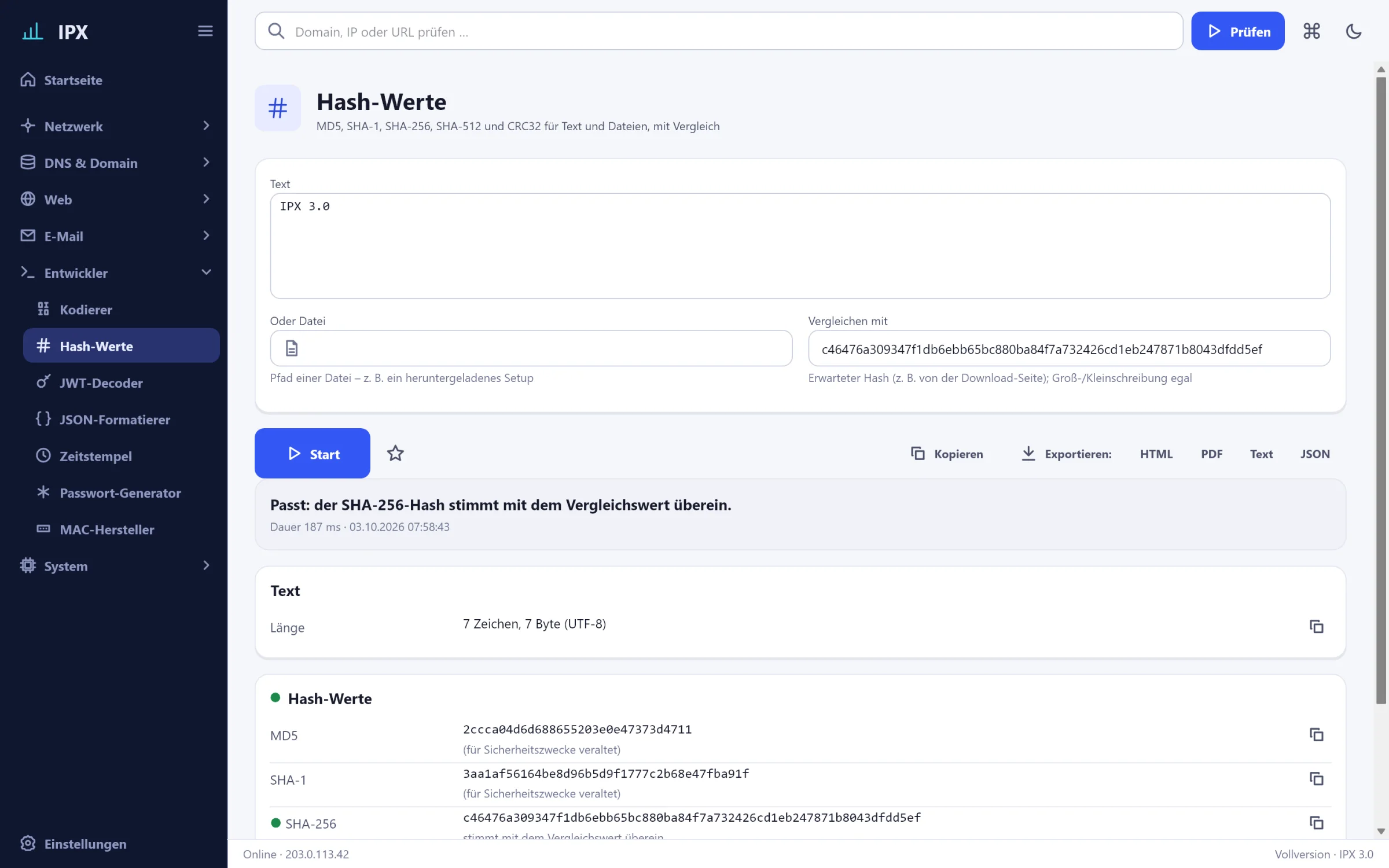
IPX: Hashes – MD5, SHA-1, SHA-256, SHA-512 and CRC32 for text and files, with comparison for downloads.IPX: Hashes – MD5, SHA-1, SHA-256, SHA-512 and CRC32 for text and files, with comparison for downloads.
HashesDescription
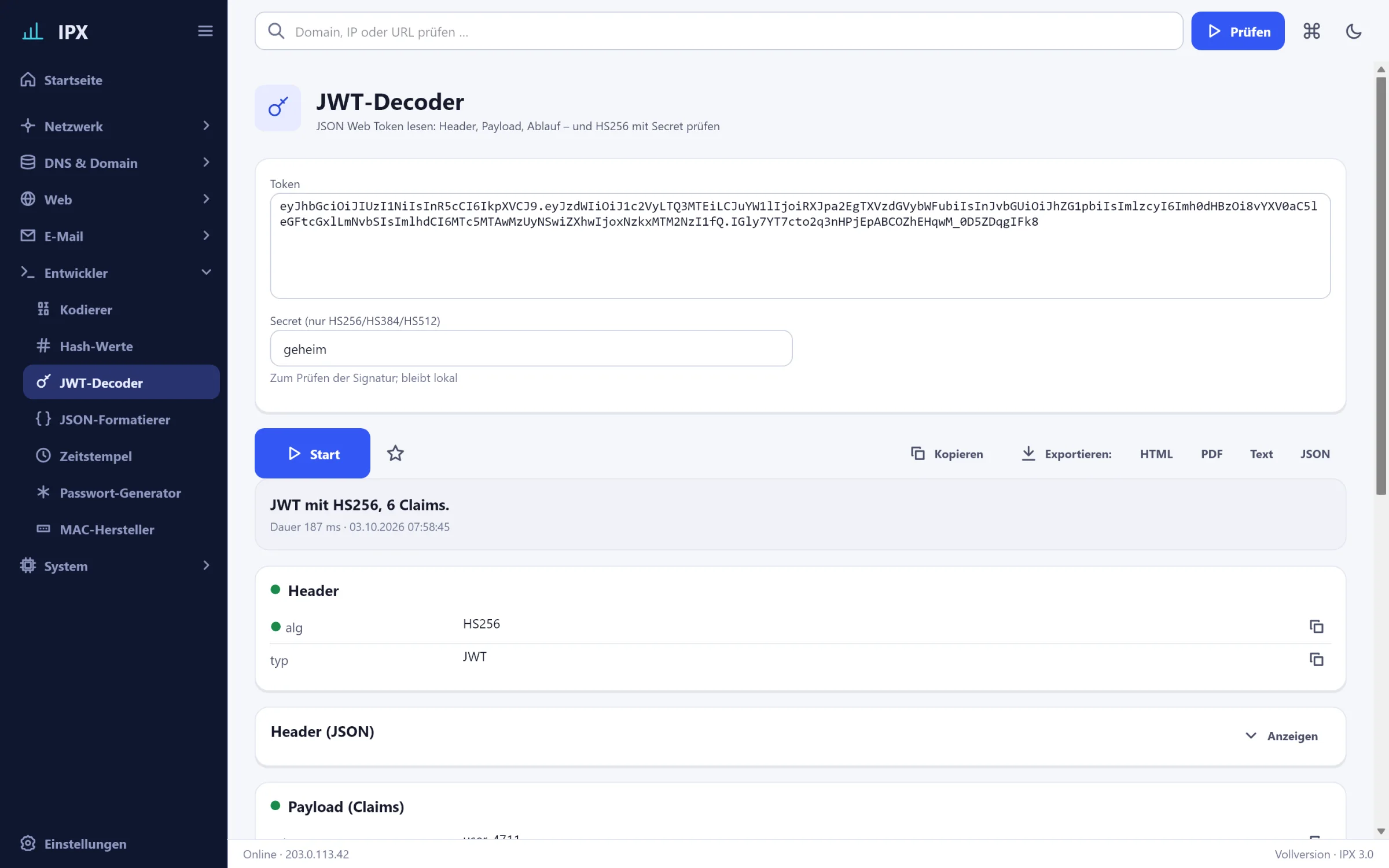
IPX: JWT decoder – Read a JSON Web Token: header, payload, expiry – and verify HS256 with a secret.IPX: JWT decoder – Read a JSON Web Token: header, payload, expiry – and verify HS256 with a secret.
JWT decoderDescription
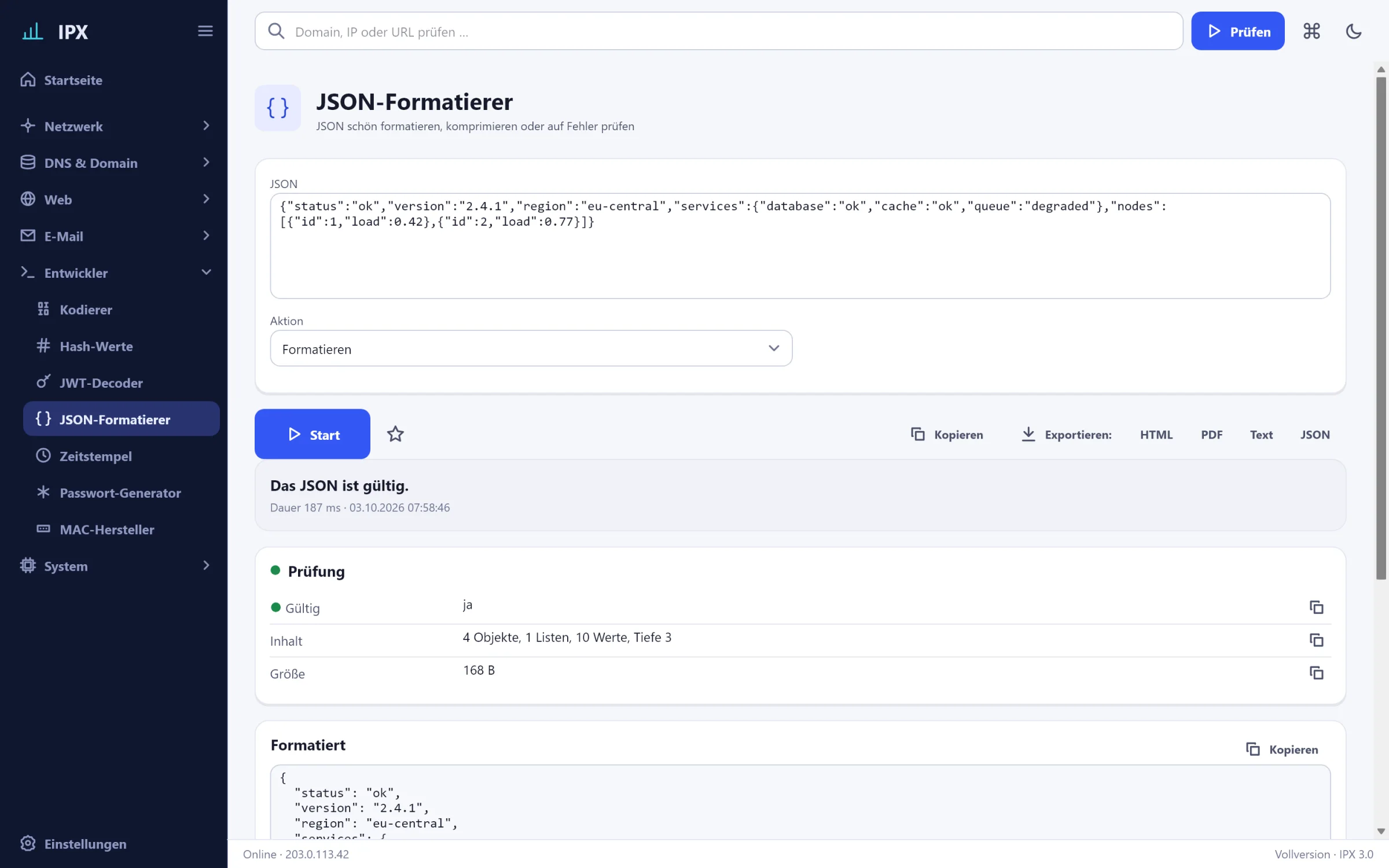
IPX: JSON formatter – Format, minify or validate JSON.IPX: JSON formatter – Format, minify or validate JSON.
JSON formatterDescription
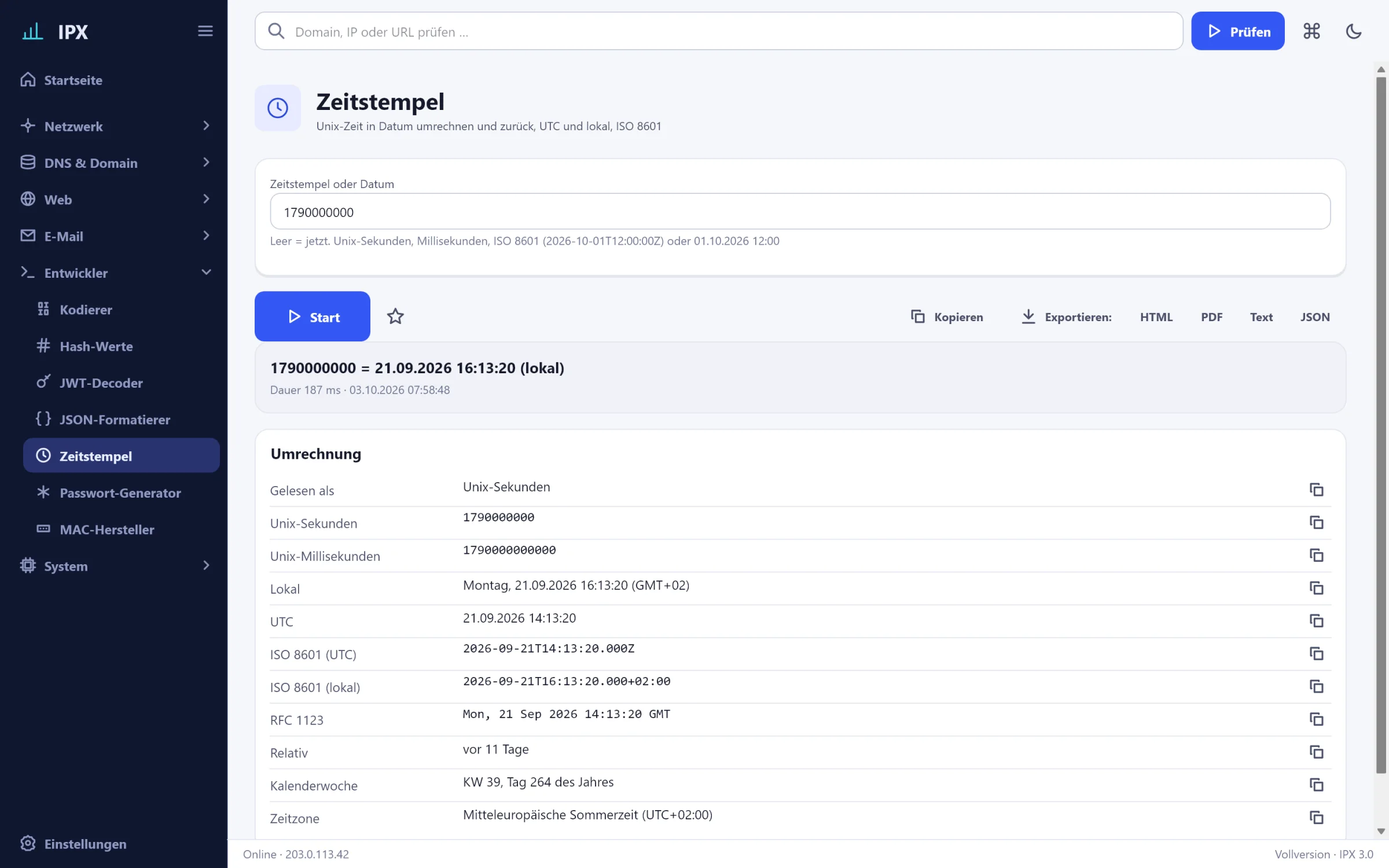
IPX: Timestamp – Convert Unix time to a date and back, UTC and local, ISO 8601.IPX: Timestamp – Convert Unix time to a date and back, UTC and local, ISO 8601.
TimestampDescription
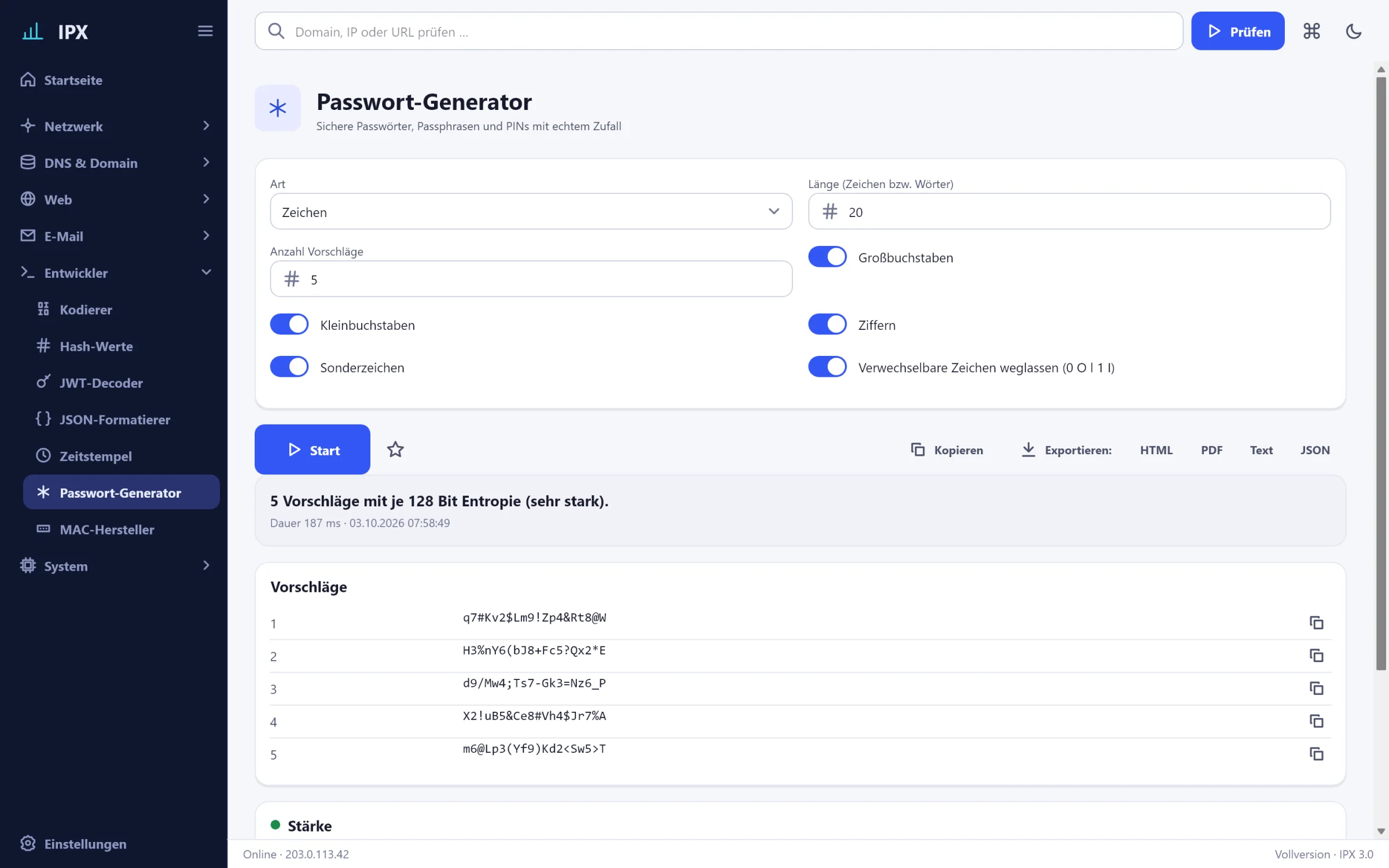
IPX: Password generator – Secure passwords, passphrases and PINs with the operating system's randomness.IPX: Password generator – Secure passwords, passphrases and PINs with the operating system's randomness.
Password generatorDescription
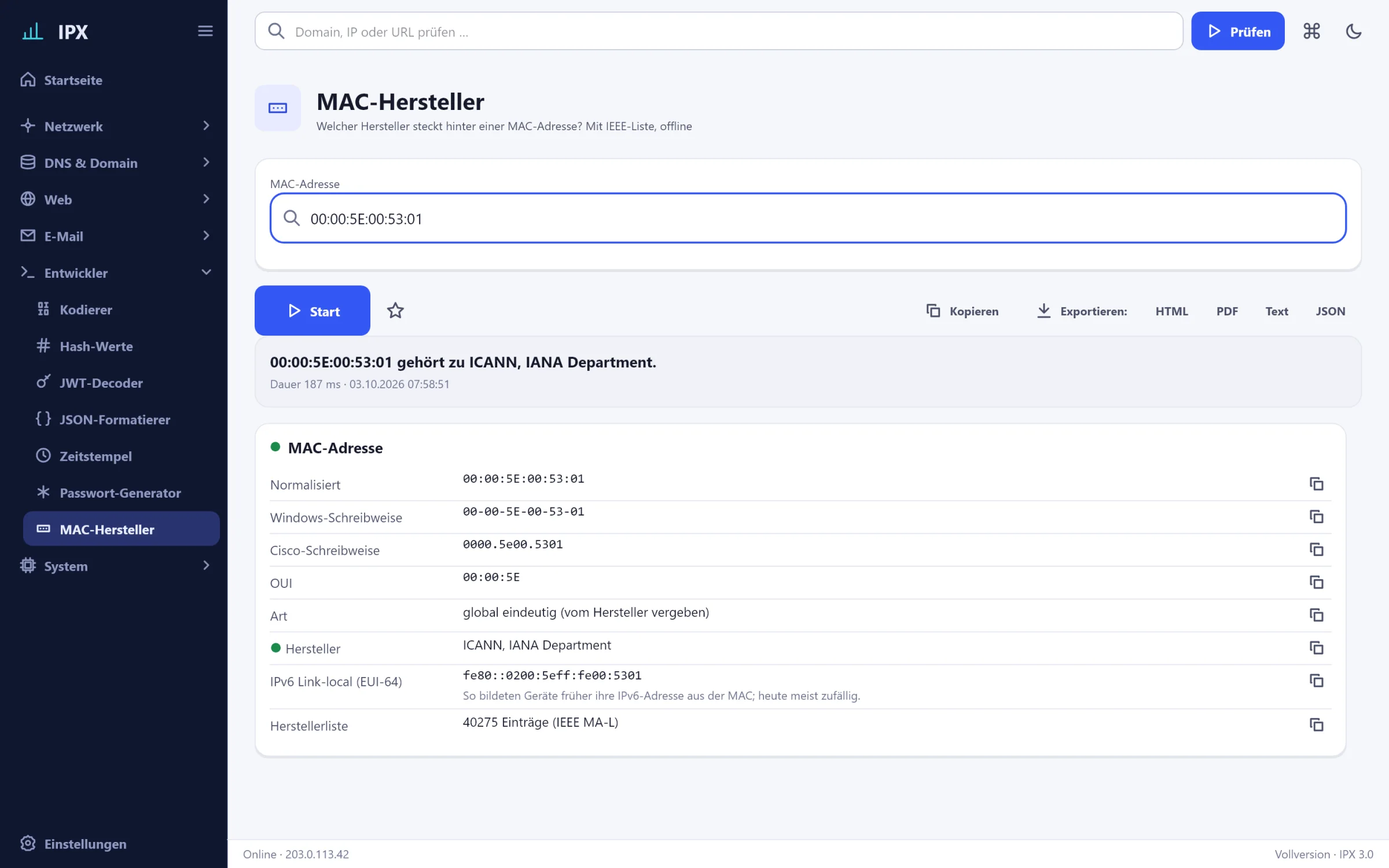
IPX: MAC vendor – Which vendor is behind a MAC address? With IEEE list, offline.IPX: MAC vendor – Which vendor is behind a MAC address? With IEEE list, offline.
MAC vendorDescription

System

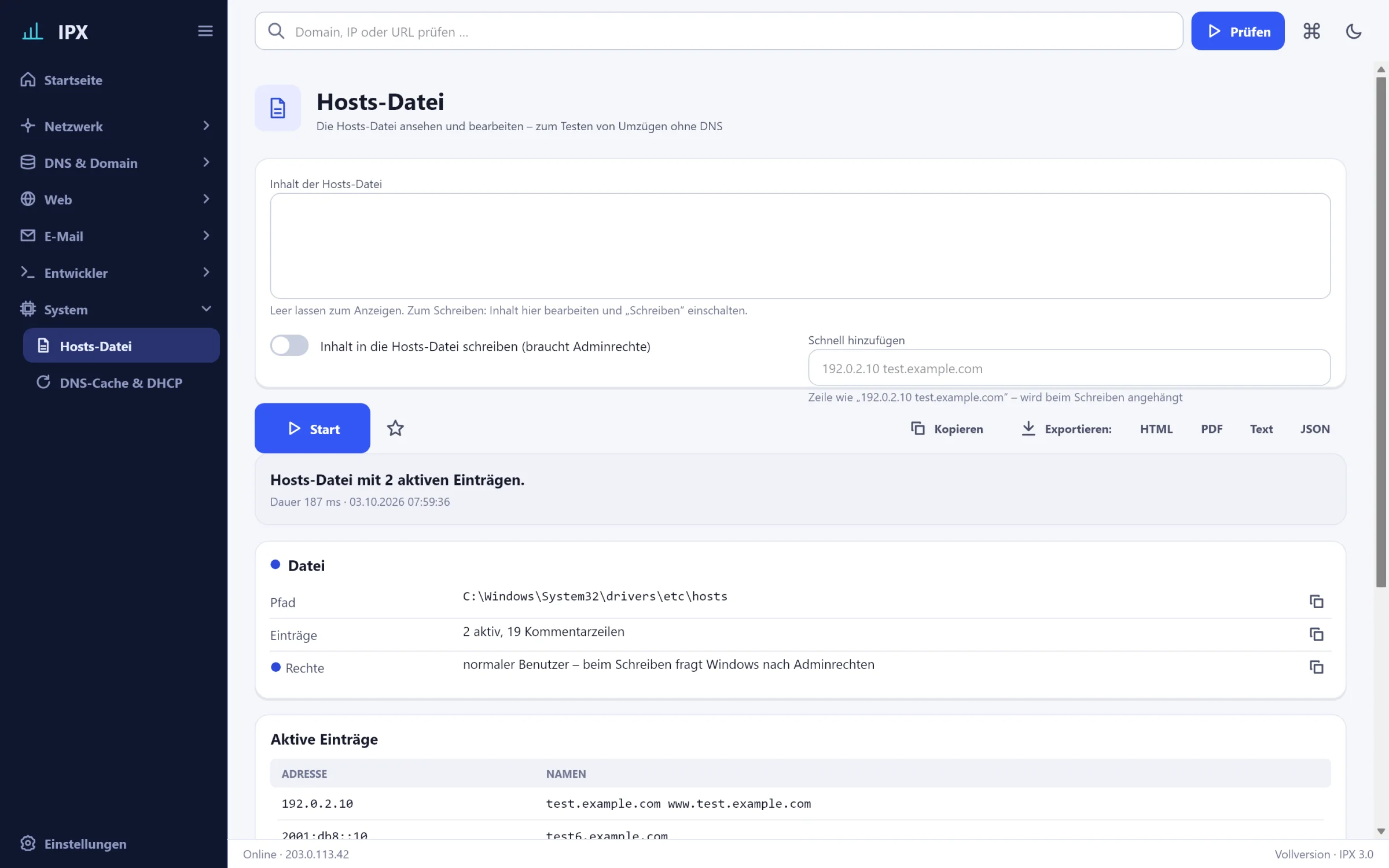
IPX: Hosts file – View and edit the hosts file – to test migrations without DNS, with admin rights prompt.IPX: Hosts file – View and edit the hosts file – to test migrations without DNS, with admin rights prompt.
Hosts fileDescription
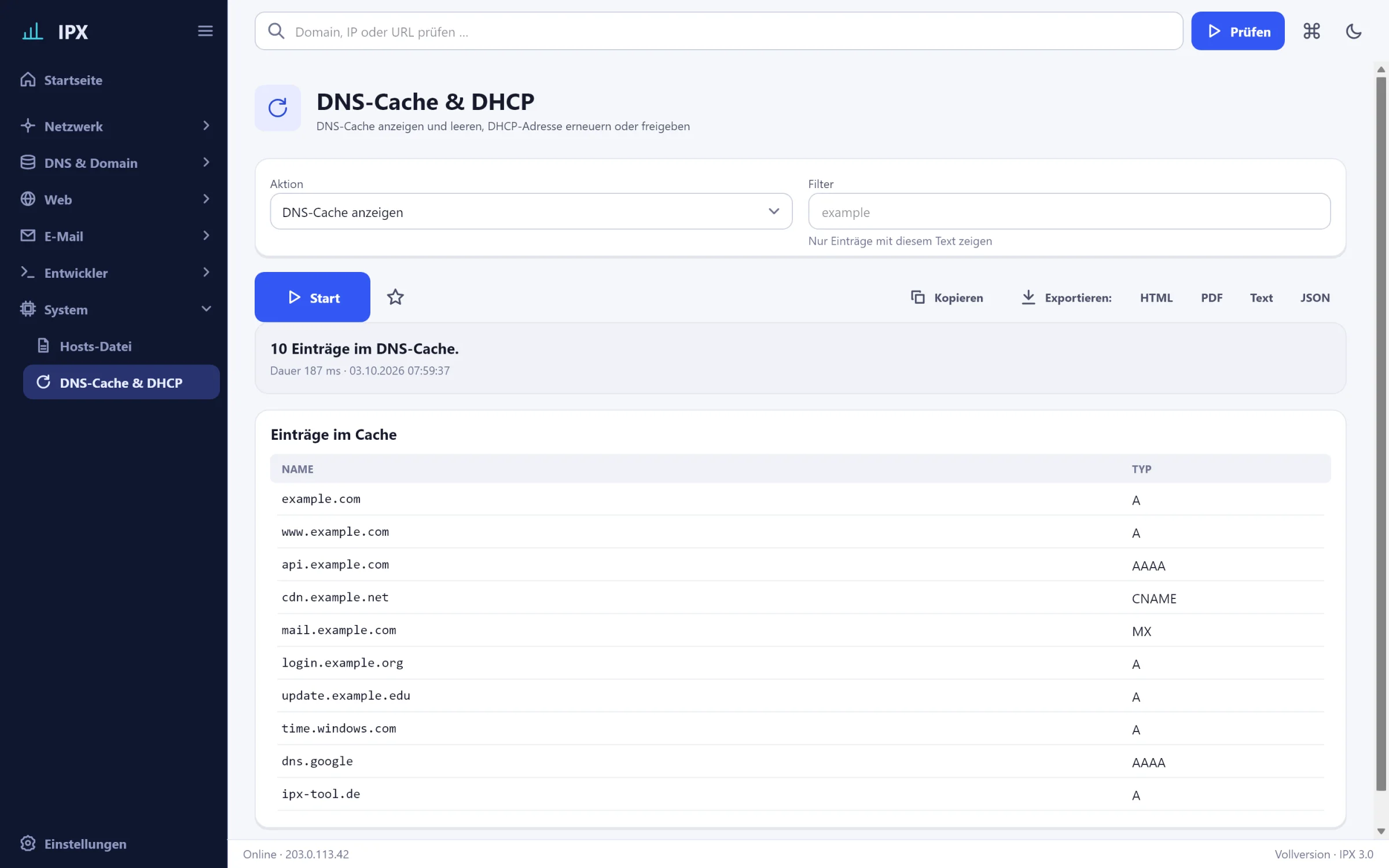
IPX: DNS cache & DHCP – Show and flush the DNS cache, renew or release the DHCP address.IPX: DNS cache & DHCP – Show and flush the DNS cache, renew or release the DHCP address.
DNS cache & DHCPDescription

Prefer to click yourself?

IPX is installed in a minute. All tools for 30 days, no registration.