For Windows 10 and 11 · version 3.0
One input field.
30 tools.
IPX is the network and analysis toolkit for admins and web developers. Enter a domain, IP or URL – IPX detects what it is and suggests the matching tools. Every result colour-coded, copyable and exportable as a report.
- All tools for 30 days
- Basic tools free forever
- Buy once, no subscription
- No admin rights needed

- Ping
- Traceroute
- DNS
- WHOIS
- SSL/TLS
- HTTP-Header
- SPF · DKIM · DMARC
- Blacklists
- LAN-Scan
- Ports
- Subnetz
- JWT
- Hashes
- IPv6
Tools
30 tools, sorted like in the program
Everything needed daily for checking domains, servers and networks – without a toolbox made of twelve different websites.
Network
- My IP & adapters
- Ping
- Traceroute
- Port check
- LAN scan
- Wake-on-LAN
- Subnet calculator
- Active connections
DNS & Domain
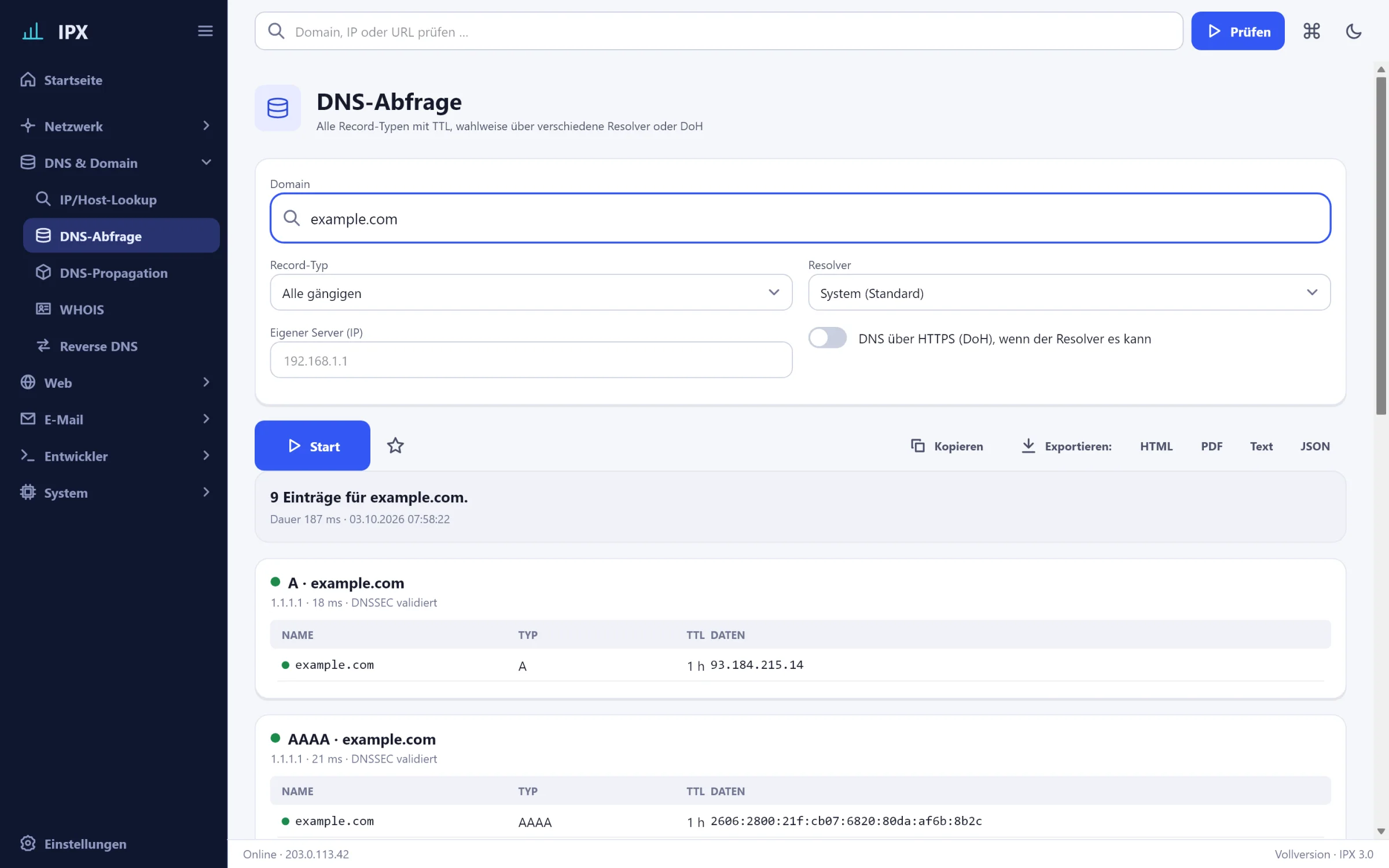
- IP/host lookup
- DNS records
- DNS propagation
- WHOIS
- Reverse DNS
Web
- HTTP headers
- Security headers
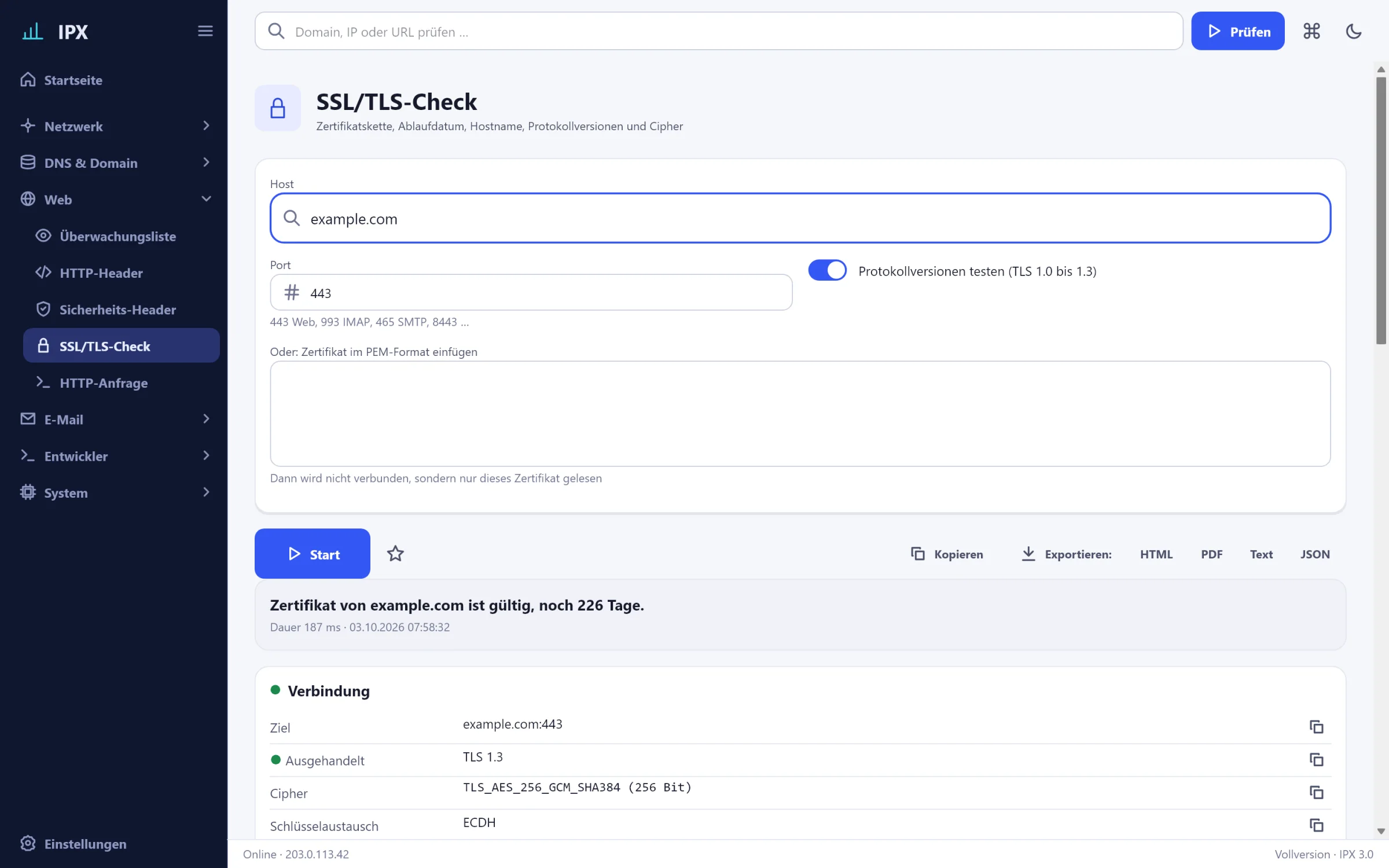
- SSL/TLS check
- Watchlist
- HTTP request
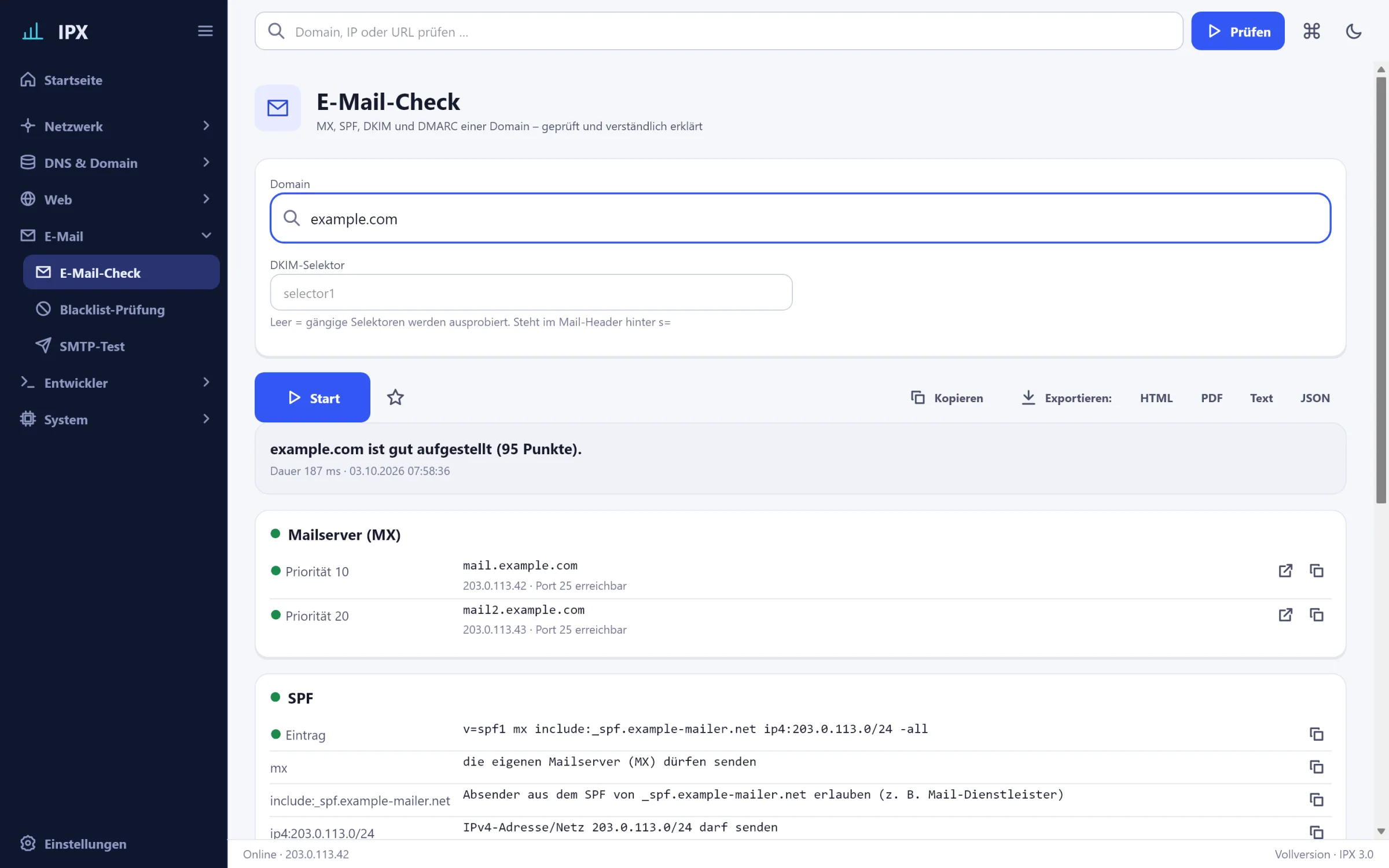
- E-mail check
- Blacklist check
- SMTP test
Developer
- Encoder
- Hashes
- JWT decoder
- JSON formatter
- Timestamp
- Password generator
- MAC vendor
System
- Hosts file
- DNS cache & DHCP
Why IPX
Made for people who need it every day
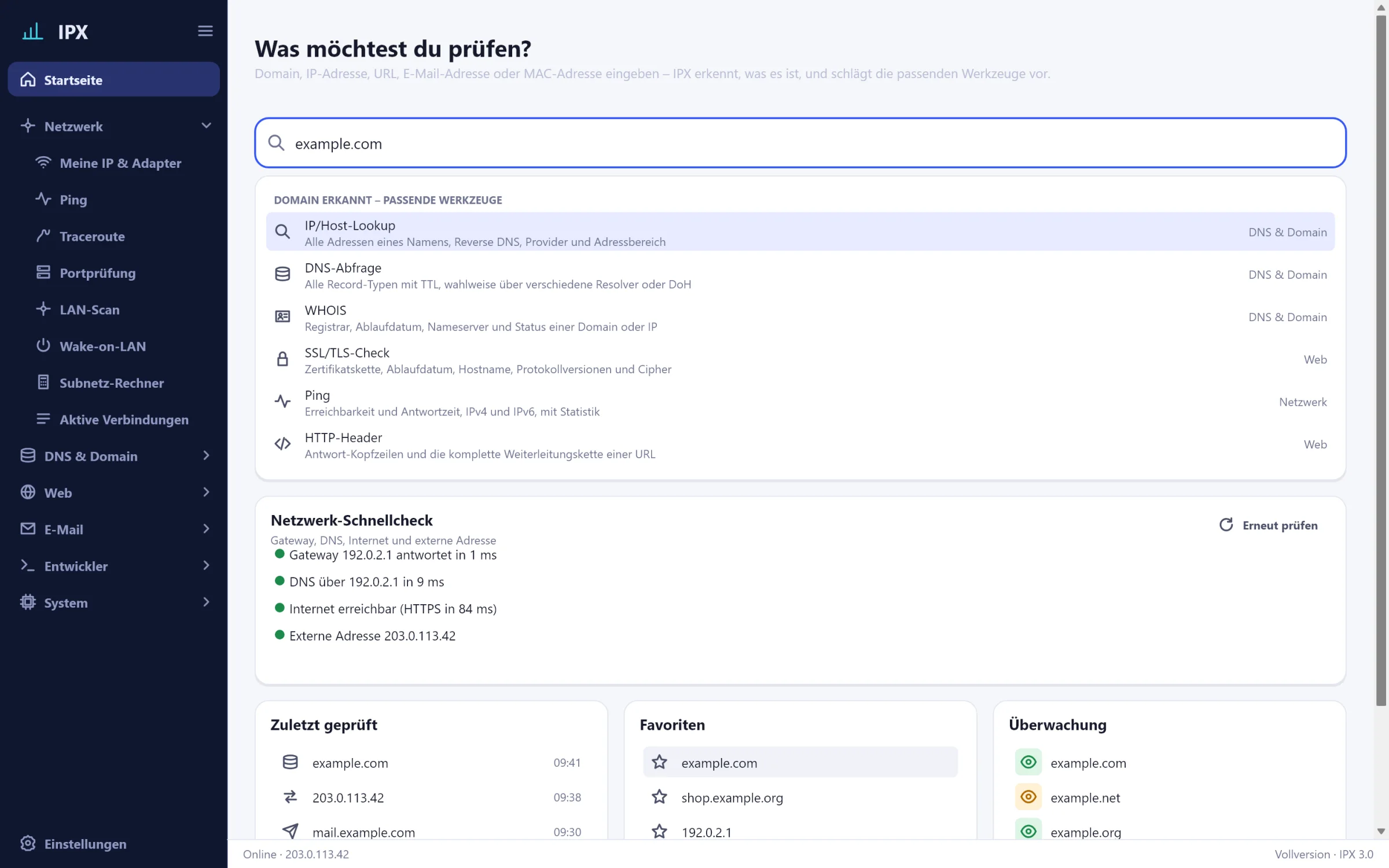
Detects what you enter
Domain, IPv4, IPv6, URL, e-mail or MAC address: IPX detects the type and shows only the tools that fit. Also from the clipboard.
Never freezes
All network calls run in the background. A traceroute over 30 hops blocks nothing – you can keep working or cancel.
Results you can actually read
Green, yellow, red: every line is graded, with explanation and advice. One click copies single values or whole tables.
Command palette and keyboard
Ctrl+K opens every tool, every setting and the history. Everything can be operated entirely from the keyboard.
Export as a report
HTML, PDF, text or JSON – for the ticket, the customer or the docs. With date, input and all results.
Light and dark
Follows Windows or your choice. Contrasts to WCAG 2.1 AA, sharp on every display, with subtle animations that can be turned off.
A look inside
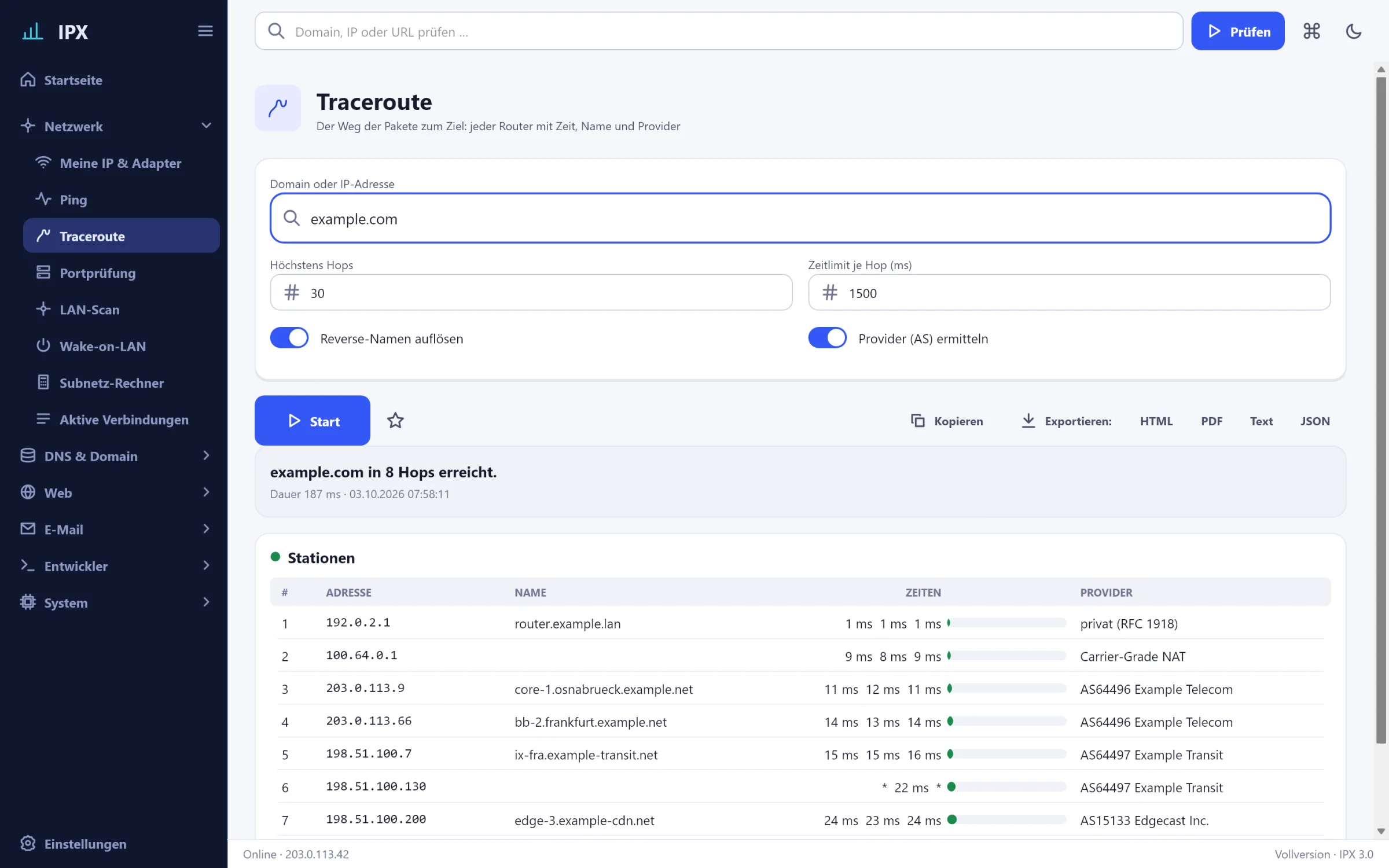
This is what IPX looks like
The images follow the colour mode of this website. All addresses are example addresses.
Ready in one minute
Download
Setup or ZIP, signed by HMF-IT UG. No admin rights, no registration.
Enter
Type or paste a domain, IP or URL into the field. IPX suggests the matching tools.
Understand
Read graded results, copy values, export a report. Favourites and history remember everything.
Pricing
Buy once. No subscription.
All prices include 19 % VAT. Try free for 30 days, afterwards the basic tools stay free.
Single licence
For one person
- All 30 tools
- Up to 2 PCs
- All updates for version 3
- Licence key immediately by e-mail
Team
For small teams and agencies
- All 30 tools
- Up to 5 PCs
- All updates for version 3
- Licence key immediately by e-mail
- For companies, agencies and IT service providers
Company
For IT departments and IT service providers
- All 30 tools
- Up to 15 PCs
- All updates for version 3
- Licence key immediately by e-mail
- For companies, agencies and IT service providers
Free: trial with all tools for 30 days, afterwards basic tools without limit. Download · More PCs or a bulk order? Contact us.
Frequently asked questions
How much does IPX cost?
The full version is a one-time purchase from €39.90 including VAT, no subscription. All updates for version 3 are included. The basic tools stay free forever.
What happens after the 30 trial days?
IPX keeps running. The basic tools (My IP & adapters, Ping, Subnet calculator, IP/host lookup, DNS records, WHOIS, Reverse DNS, HTTP headers, SSL/TLS check) stay free, the others show a note about the full version. History, favourites and settings are kept.
Do I need admin rights?
No. IPX runs as a standard user. Only editing the hosts file and renewing the DHCP address need admin rights – then Windows asks once, for exactly that step.
Does IPX send data to you?
Only when you trigger it: “My IP” asks our server for your public address, and activating the licence talks once to our licence server. All other queries go directly to the servers you check (DNS, WHOIS, websites). No telemetry, no account, no ads.
On how many PCs may I use IPX?
Single licence: 2 PCs, Team: 5 PCs, Company: 15 PCs. You release a PC in the program under Settings › Licence and use the licence on another one.
Is there IPX for macOS?
Not yet. IPX is built so that a Mac version can follow. If you are interested, let us know – that helps with the decision.
Is this the online version from hmf-it.de?
The free online version offers the most important lookups in the browser. IPX does much more: ping and traceroute, LAN scan, ports, history, watchlist, export, light/dark – and it runs on your PC, also on the local network.
Another question? Write to us – a human replies.
Try it with your own domain.
All tools for 30 days, no registration, no credit card. If you like it, you buy once – and keep it.